Editing a product group
Process
Editing a product group is available to users with the Credit Officer role.
Step 1. Opening the editing form
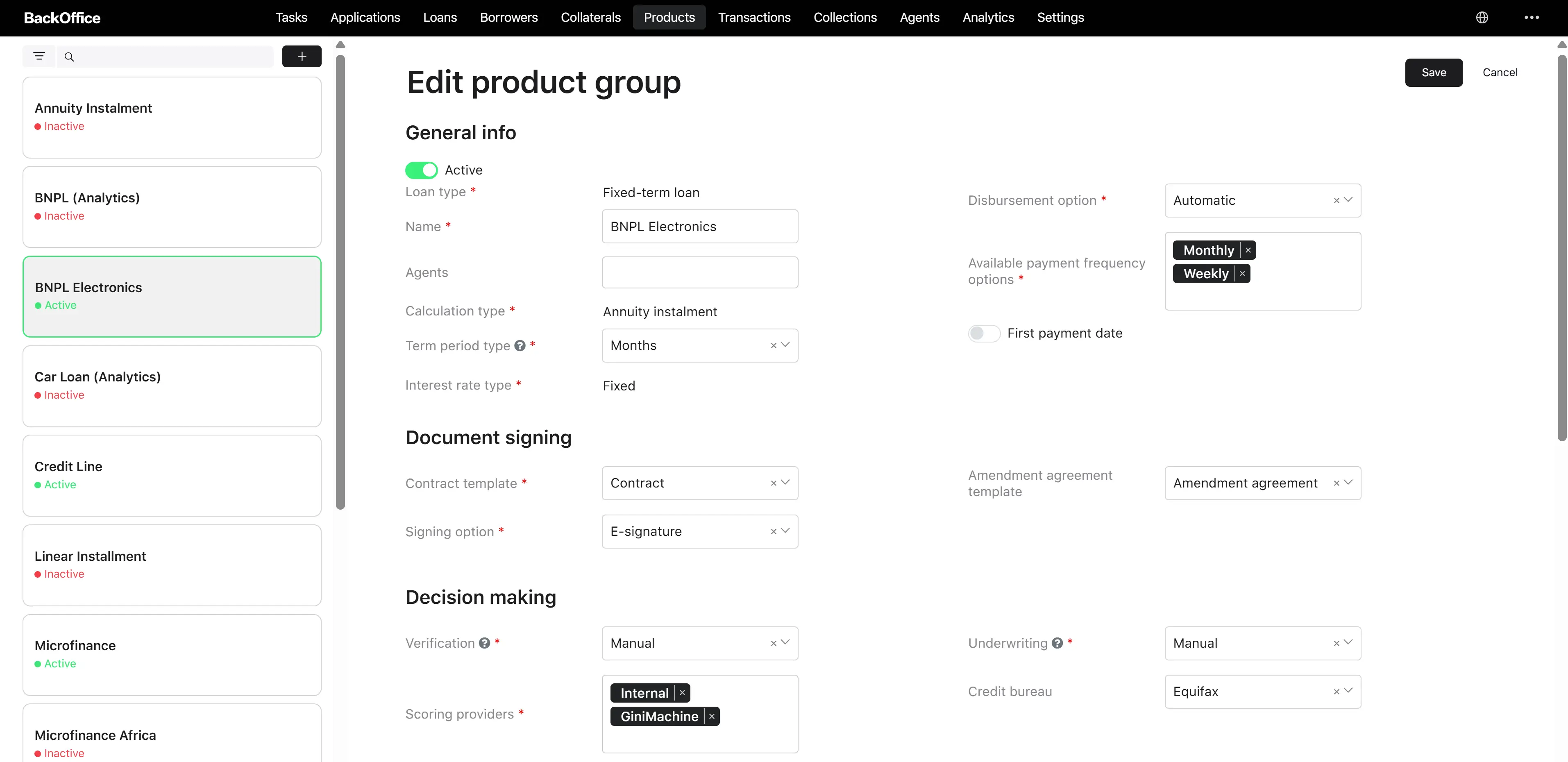
The user clicks the button to edit a product group. The system displays the “Edit product group” form.
Step 2. Filling in parameters
The user edits all required fields of the form.
Step 3. Saving
The system validates the data while the fields are being edited. If all fields are filled in correctly, the “Save” button becomes active. If errors are found, the system displays error messages next to the corresponding fields. When a user clicks the “Save” button, the system saves the updated product group.
Result: the product group is updated.