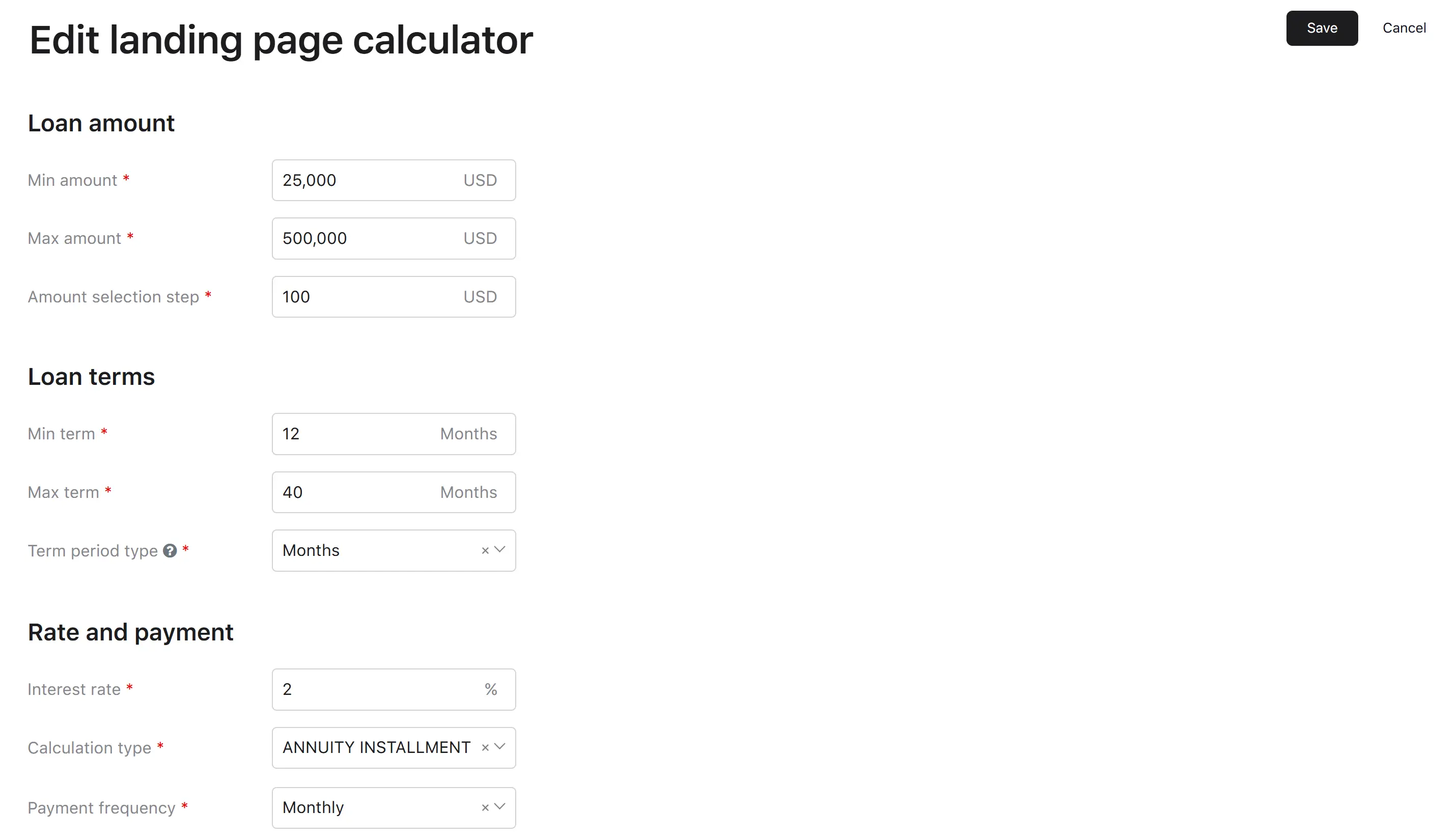
Landing page calculator setting
The Landing page calculator setting controls the public-facing loan calculator that potential borrowers use on the landing page to preview a possible loan. The calculator is the very first interactive surface a prospective customer touches, so its boundaries directly shape who can apply.
There is exactly one landing page calculator configuration in the system. Updates modify this single record rather than creating new ones.
Parameters
The calculator is described by parameters grouped into three panels.
Loan amount
| Parameter | Range |
|---|---|
| Min amount | 0.01–99,999,999.99. Must not exceed Max amount. |
| Max amount | 0.01–99,999,999.99. Must not be smaller than Min amount or smaller than the amount selection step. |
| Amount selection step | At least 1; cannot exceed Max amount. |
Loan terms
| Parameter | Range |
|---|---|
| Min loan term | 1–999. Must not exceed Max term. |
| Max loan term | 1–999. Must not be smaller than Min term. |
| Period type | Depends on Calculation type—see the table below. |
Period type values, by calculation type
| Calculation type | Available period types |
|---|---|
| PDL (Payday Loan) | Days |
| Annuity installment | Days, Months, Years |
| Linear principal repayment installment | Days, Months, Years |
| Revolving credit line | Months |
| Non-revolving credit line | Months |
Rate and payment
| Parameter | Notes |
|---|---|
| Interest rate, % | Between 0 and 999. |
| Calculation type | See full list below. Cannot be changed after the calculator has been initially set. |
| Payment frequency (*required except PDL) | Hidden when calculation type is PDL. See full list below. |
Calculation type
| Value | Description |
|---|---|
| PDL | Payday loan—single repayment at the end of the term. |
| Annuity installment | Equal periodic payments combining principal and interest. |
| Linear principal repayment installment | Equal principal portions plus declining interest. |
| Revolving credit line | Credit line that can be drawn down and repaid repeatedly. |
| Non-revolving credit line | Credit line drawn down once and repaid. |
Payment frequency
There are the following payment frequency values based on calculation type:
- Fortnightly
- Weekly
- Monthly
- Quarterly
Note
Setting dependencies
Depends on: the catalog of supported calculation types and period types in the platform.
Affects:
- The public landing page: the calculator widget reads these parameters and uses them to bound the slider, the term picker, and the displayed payment estimates.
- Application intake: if a borrower configures a loan within the calculator, the entered amount and term are validated against these bounds before the application is created. Out-of-bounds requests are rejected.
How to view
The Landing page settings screen shows the parameters above grouped into the three panels (Loan amount, Loan terms, Rate and payment). Roles allowed: Verifier, Underwriter, Credit Officer, Collection Manager.
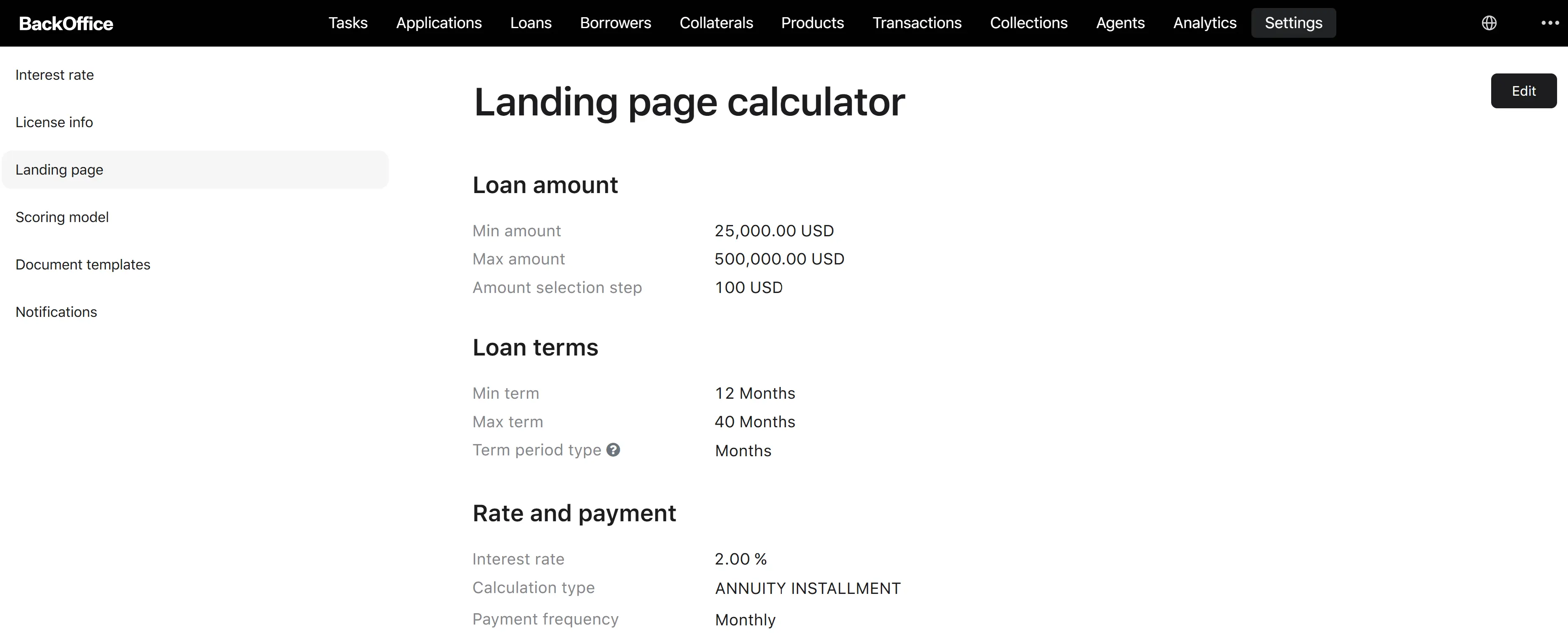
Edit process
Step 1. Open the edit form
The user clicks Edit on the Landing page settings page. → The system opens “Edit landing page settings” prefilled with the current values.
Step 2. Update the parameters
The user changes any subset of the parameters above. The form enforces cross-field validations in real time (min ≤ max, step ≤ max amount, period type compatible with calculation type, etc.). Calculation type is read-only after the initial setup.
Step 3. Save
The user clicks Save.
Step 4. System processes the change
The system overwrites the single landing page record with the new values and emits an “updated” event so that the public calculator picks up the new configuration. The previous values are kept in the audit history.
Clicking Cancel discards the changes and returns to the read-only view.