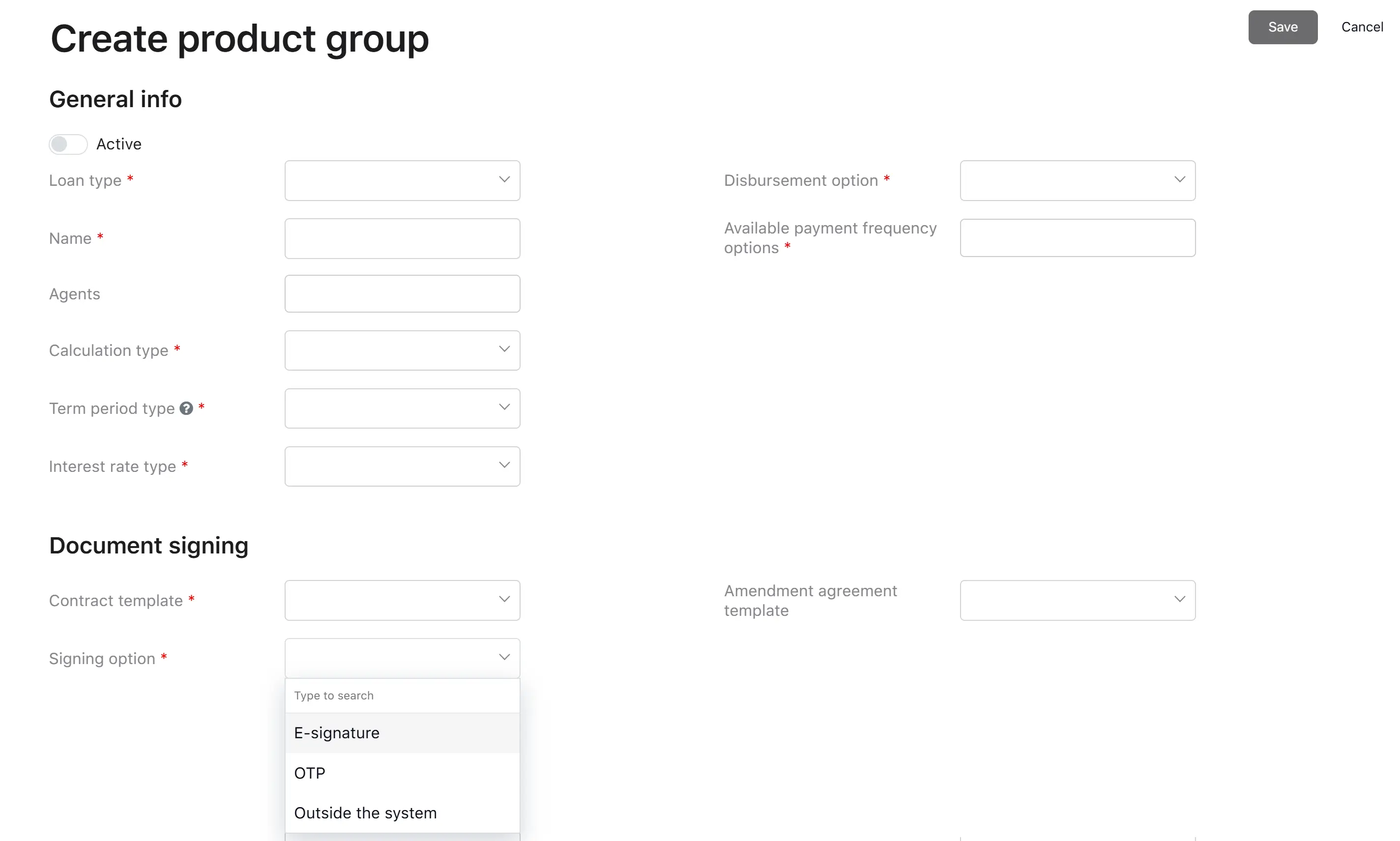
Signing options on the Product Group level
The signing channel is configured at the product group level. Each product group has a Signing option parameter that determines how the borrower will sign the contract.
The Signing option dropdown on the product group offers exactly the following values:
| Value | What it means for the borrower |
|---|---|
| E-signature | The borrower signs the contract through an embedded electronic signature window inside the Borrower Portal (iframe). The system tracks signing status with the e-signature provider in the background. |
| OTP | The borrower reviews the contract on the Borrower Portal, requests an SMS code, and confirms signing by entering that one-time password. |
| Outside the system | The borrower signs the contract offline. A credit officer in the Back Office uploads the physically signed copy on the borrower’s behalf. |
In addition to the product group-level Signing option, the platform has a system-wide E-sign service setting (pandaDoc or pandaDocEmail). This setting becomes relevant only when the product group’s Signing option is set to E-signature:
- If the system-wide E-sign service is set to pandaDoc, the borrower signs through an iframe inside the Borrower Portal.
- If the system-wide E-sign service is set to pandaDocEmail, the borrower receives a signing link by email and signs entirely outside of the portal.