Agent list and filters
Who uses it. Partner Managers in the Backoffice.
Purpose. Browse and search all partner organizations registered in the platform, open an agent’s detail page, or create a new agent.
Columns
| Column | Description |
|---|---|
| ID | Internal sequential identifier of the agent |
| Legal name | The official name of the partner organization |
| Phone | Primary phone of the agent |
| Primary email of the agent |

Filters
| Filter | Type | What it searches |
|---|---|---|
| Search | Text input | Matches the agent’s legal name, phone or email |
| Tax number | Text input | Exact / partial match by tax number |

Sorting and actions
- Default sort: by ID, newest first.
- Default page size: 20 records per page.
Actions on the list screen:
- Open agent — clicking a row navigates to the agent detail page.
- Create agent — opens the create form (described below).
Agent detail screen
Purpose. View the full information about a single agent and perform management actions.
Header. Shows the agent’s legal name and ID, for example: Acme Brokerage #123.
Top-right actions menu:
- Edit — opens the edit form.
- Invite user — starts the agent user invitation process (described below).
Content tabs
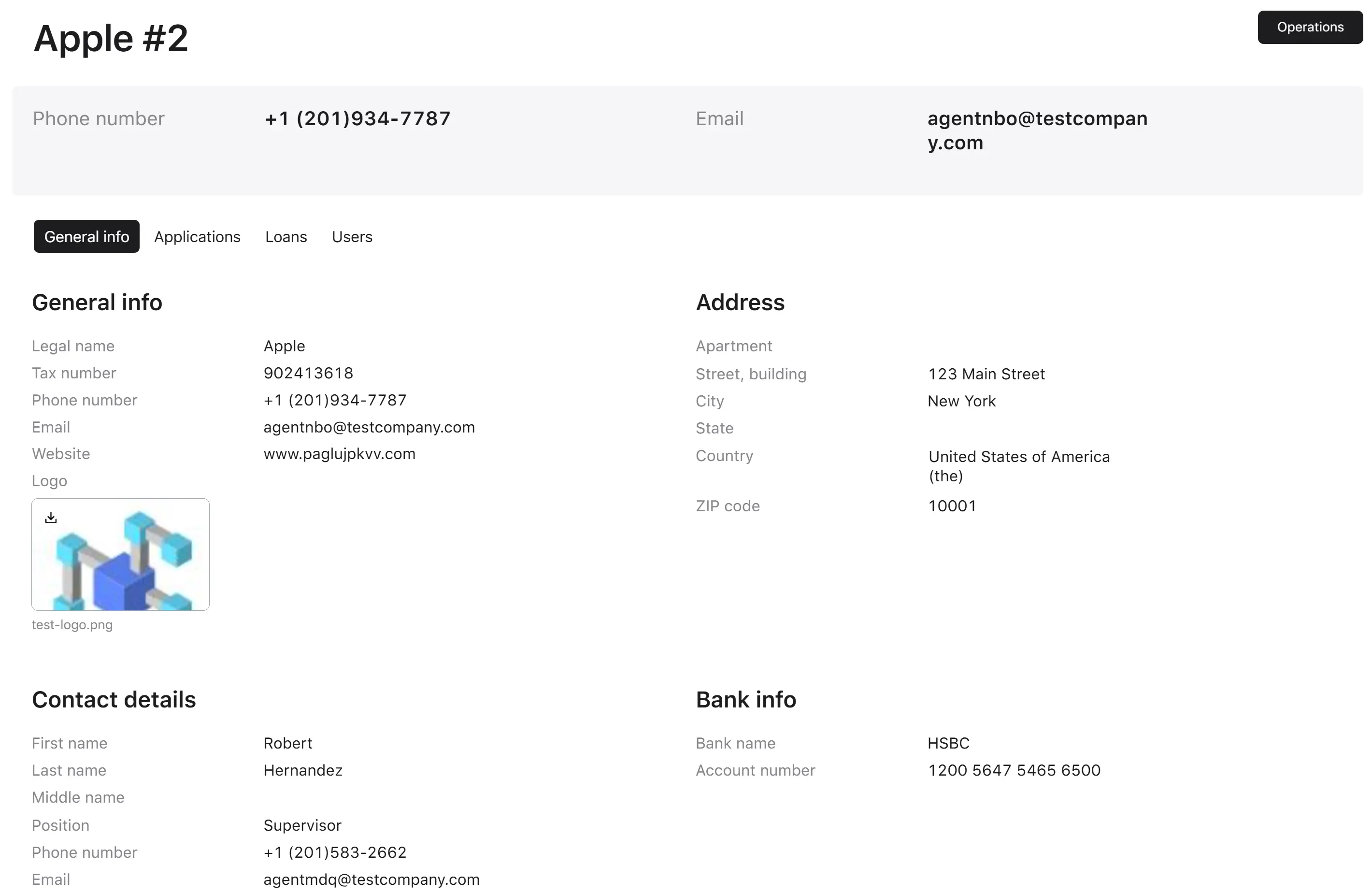
General Info tab
Shown as four side-by-side panels:
- Agent info — legal name, tax number, phone, email, website, logo.
- Address — full legal address (country, state/region, city, street, postal code, etc.).
- Contact details — the contact details of the representative of the partner organization.
- Bank info — bank name and account number used for partner payouts.
A summary header at the top of the page also displays the phone and email in larger text.
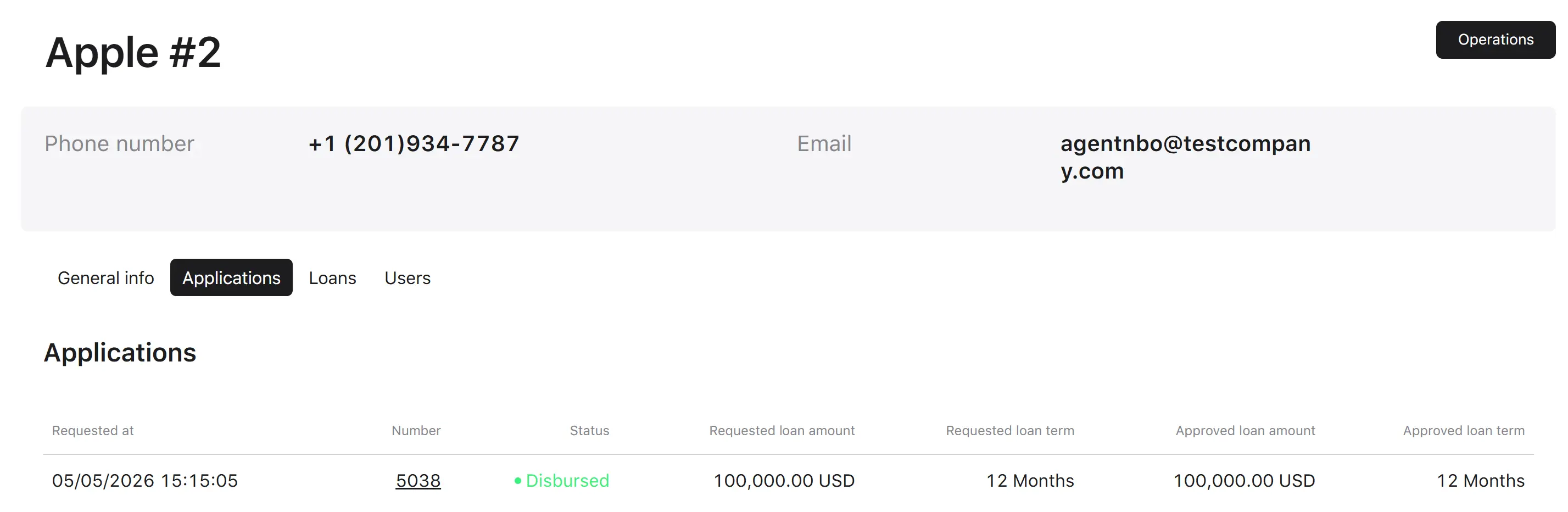
Applications tab
A paginated table of every loan application this agent has originated.
| Column | Description |
|---|---|
| Requested at | Date and time the application was sent |
| Number | Application reference number (clickable, opens the application) |
| Status | Current status of the application |
| Loan amount requested | Amount the borrower asked for |
| Loan term requested | Term the borrower asked for |
| Loan amount approved | Amount finally approved (if approved) |
| Loan term approved | Term finally approved (if approved) |
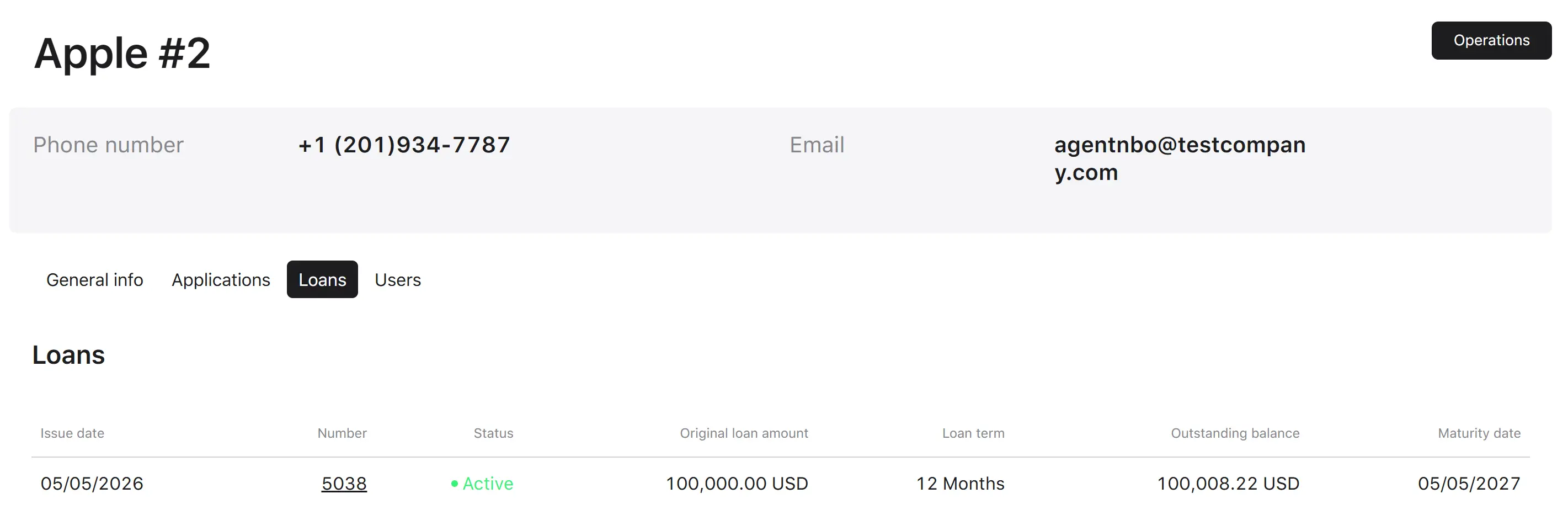
Loans tab
A paginated table of every loan this agent originated, with the loan number, status, issue date, maturity date, and key amounts.
| Column | Description |
|---|---|
| Issue date | Date the application was disbursed |
| Number | Loan reference number (clickable, opens the loan) |
| Status | Current status of the loan |
| Original loan amount | The amount for which the loan was issued |
| Loan term | The term for which the loan was issued |
| Outstanding balance | The outstanding debt amount that the borrower must repay to close the loan |
| Maturity date | The specific date on which the final loan payment is due, meaning the loan is expected to be fully repaid and closed |
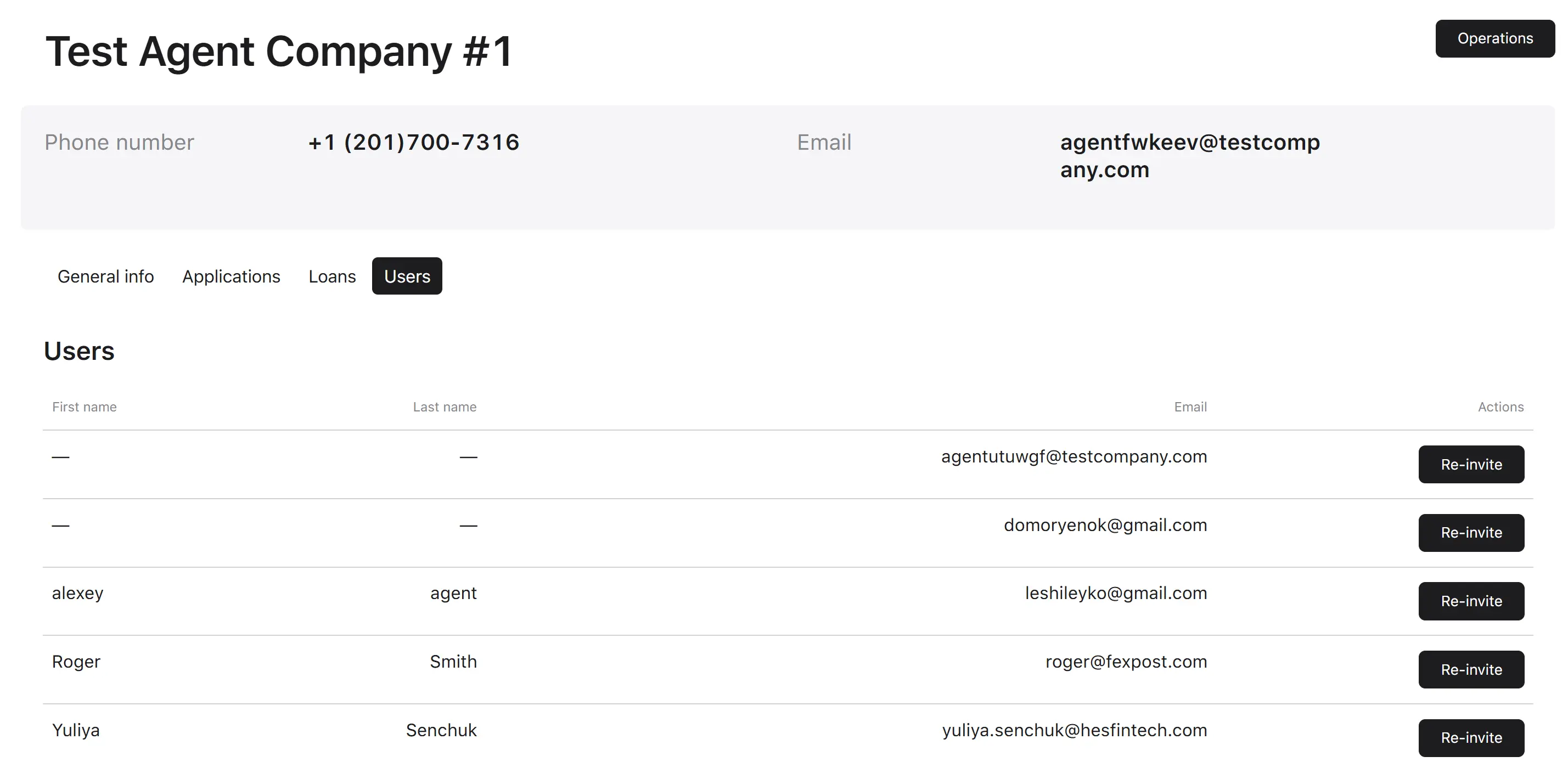
Users tab
A list of all individual people (agent users) who have a login linked to this agent.
| Column | Description |
|---|---|
| First name | First name of a user |
| Last name | Last name of a user |
| Email of a user, used as a login | |
| Actions | Possible actions with a user account, currently only “Re-invite” |