
Assigning a role to a user
Role assignment is performed entirely inside Keycloak by an administrator. HES LoanBox does not provide a screen to assign a role.
Prerequisites
- The administrator has access to the Keycloak Administration Console.
- The administrator has permission to manage users and roles in the target realm.
- The required role names already exist in the realm (see the Predefined roles in Keycloak page).
- The user account already exists in the realm.
Steps to assign a role
Step 1. Open the Keycloak Administration Console.
Sign in with administrator credentials.
Step 2. Select the realm.
Use the realm selector at the top to pick the realm that contains the user — for example Backoffice for an internal staff user, AgentRealm for an agent, or BorrowerRealm for a borrower.
Step 3. Open the user.
Navigate to Users, search for the user by username or email, and click the user record to open it.
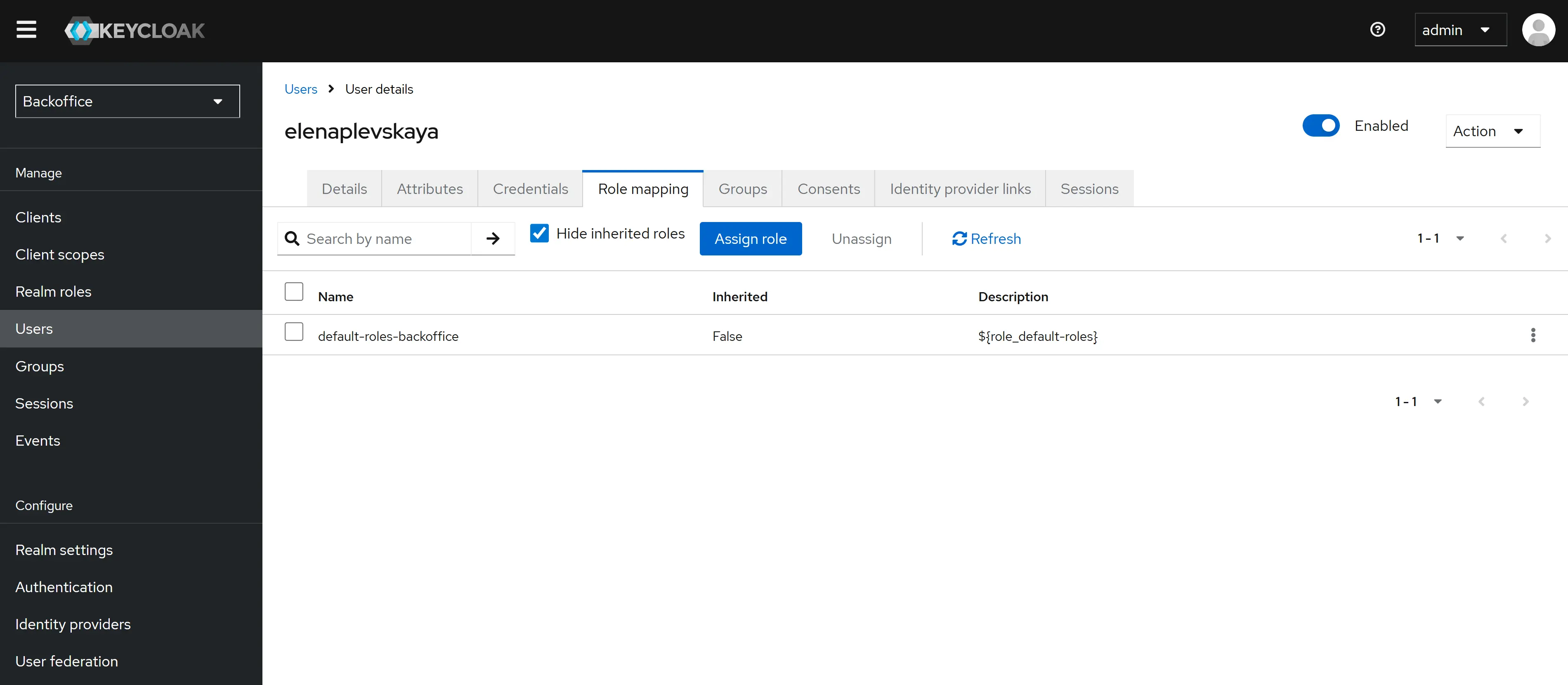
Step 4. Open the role-mapping tab.
Click the Role mapping tab on the user detail screen.
Step 5. Open the role picker.
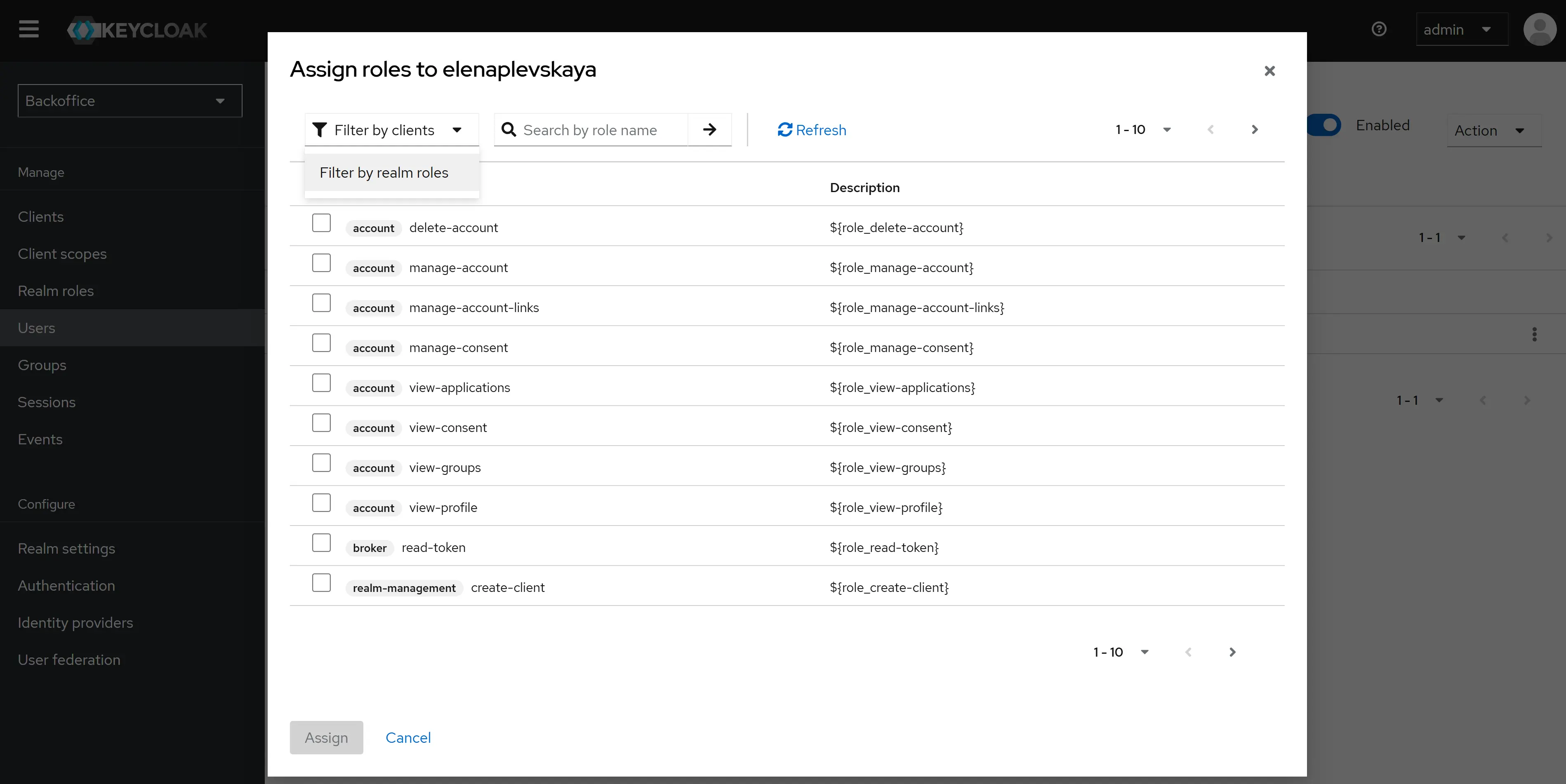
Click Assign role. Keycloak shows the list of roles available in the current realm.
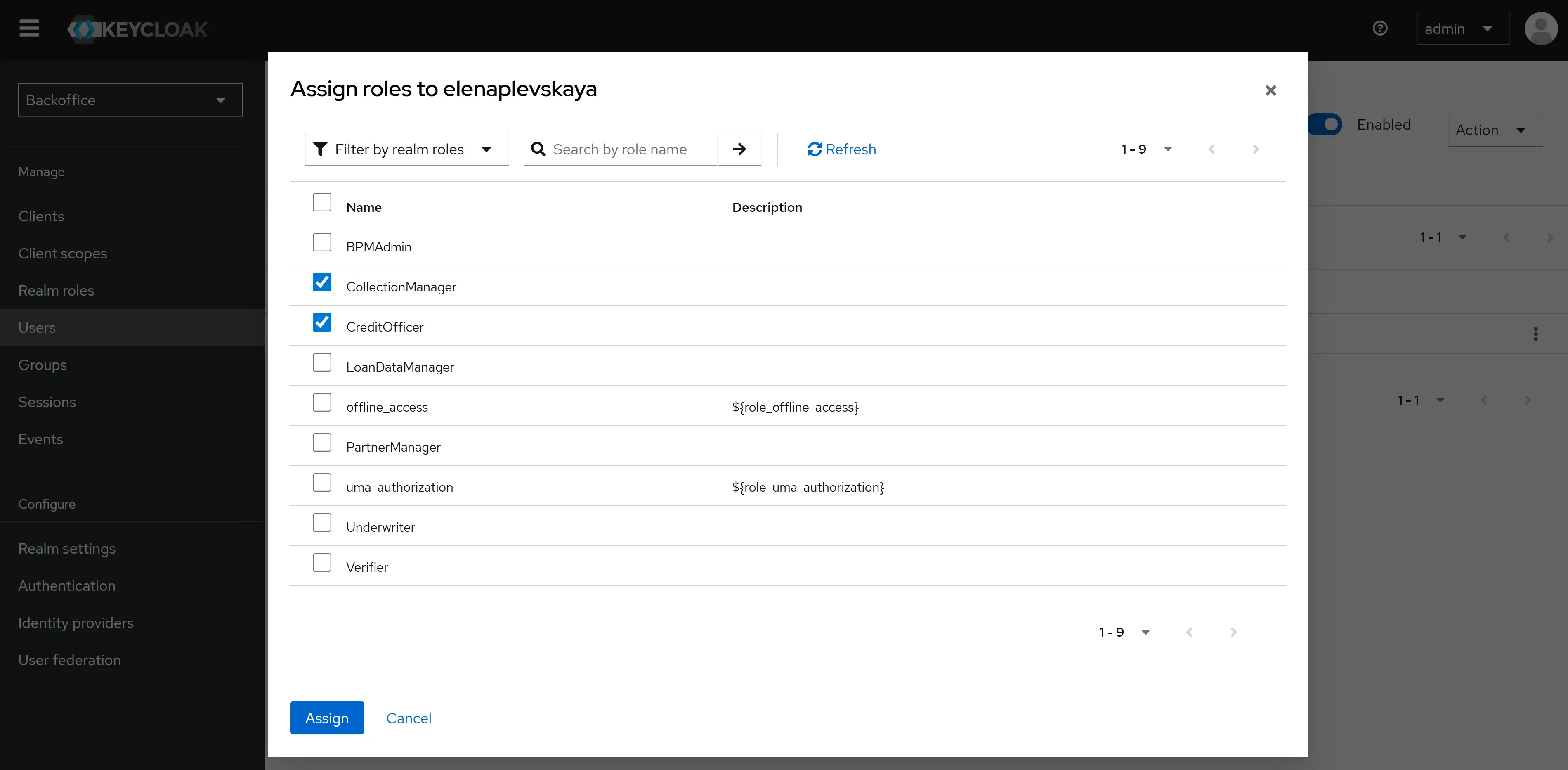
Step 6. Pick the realm role(s).
Choose one or more roles from the list — for example CreditOfficer, Underwriter. Multiple roles can be selected at once.
Step 7. Confirm the assignment.
Click Assign. Keycloak attaches the selected roles to the user. The role mapping is effective immediately for any new sign-in.
Result: The user now appears in the role-mapping tab with the selected roles. The next time the user signs in, the security token issued by Keycloak will carry the new roles, and HES LoanBox will grant the corresponding access.
Removing a role
To revoke access, open the user’s Role mapping tab, find the role in the list of assigned roles, and click Unassign. The change applies the next time the user signs in or refreshes the security token.
Default roles
A realm may be configured so that every new user automatically receives a baseline role. This is the recommended setup for Borrower in the BorrowerRealm and for Agent in the AgentRealm, because HES LoanBox creates these users automatically and does not assign roles itself. With a default role configured, every new borrower or agent user receives the right role at the moment of creation without any further administrator action.
For the Backoffice and Integration realms, default roles are not recommended — a new account should never carry permissions until an administrator explicitly grants them.