Creating a product group is available to users with the Credit Officer role.
Step 1. Opening the creation form
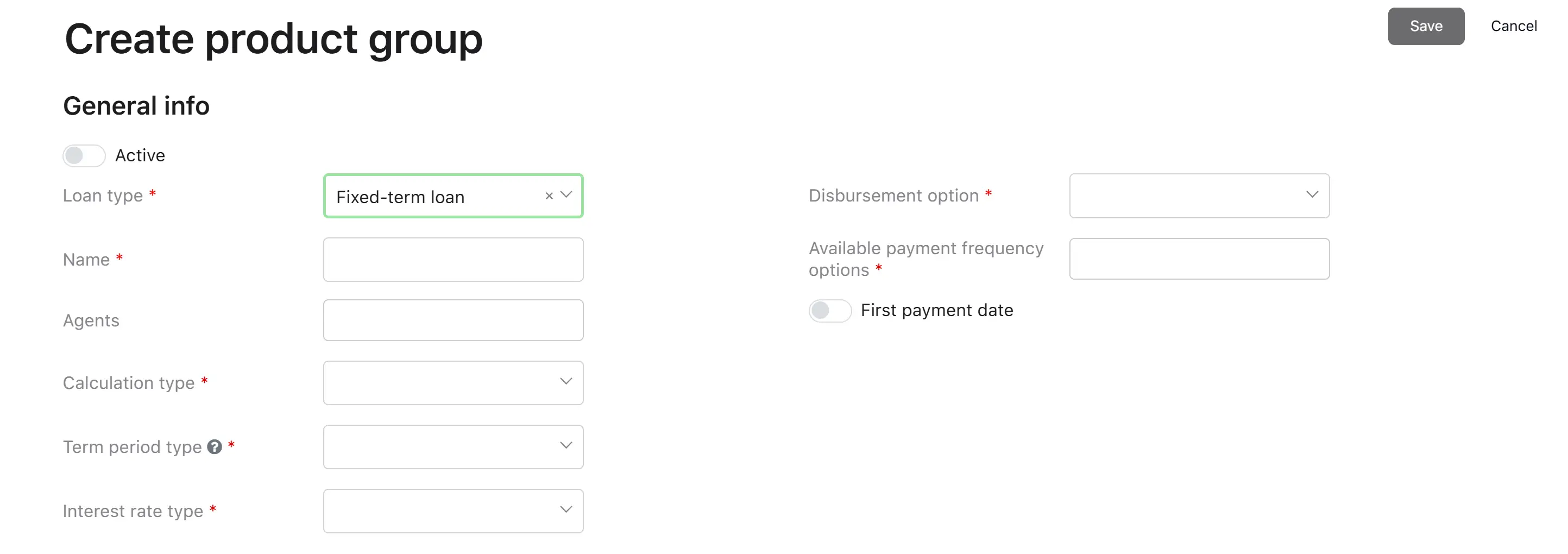
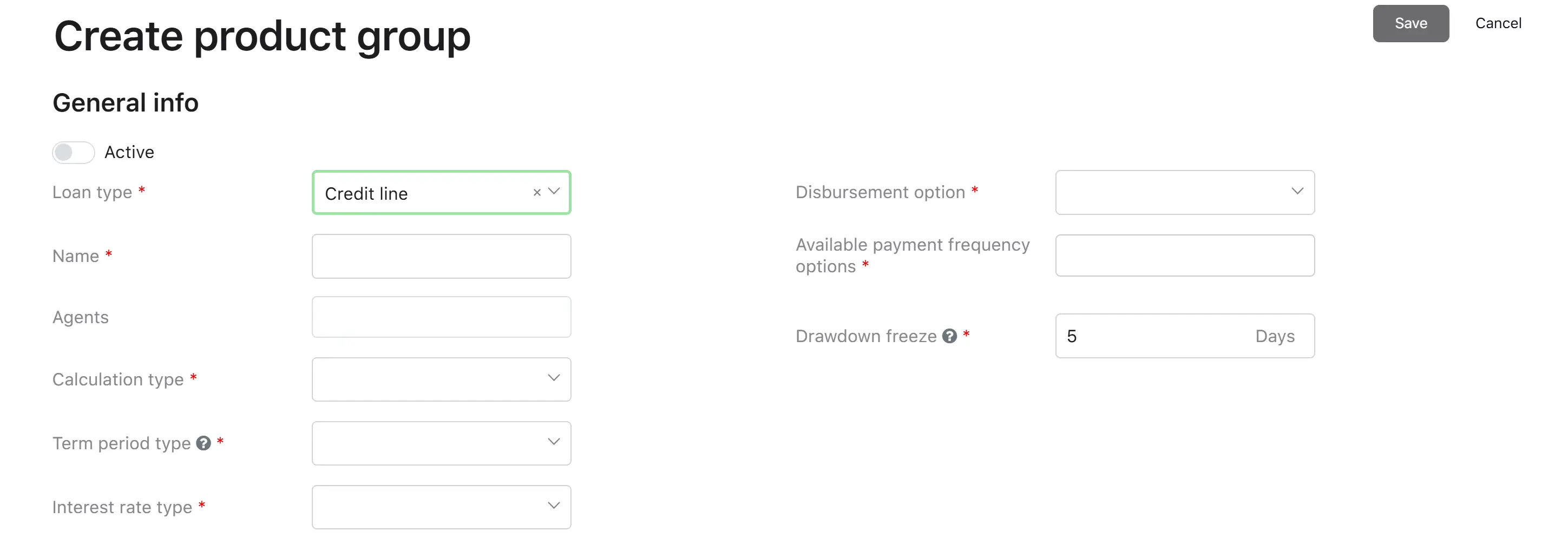
The user clicks the button to create a new product group. The system displays the “Create product group” form.
Step 2. Filling in parameters
The user fills in all required fields of the form (described below in Product group parameters).
Step 3. Saving
The system validates the data while the fields are being filled in. If all fields are filled in correctly, the “Save” button becomes active. If errors are
found, the system displays messages next to the corresponding fields. When a user clicks the “Save” button, the system saves the created product group.
Result: The product group is created. By default, it is inactive (the “Active” flag is off).
Caution
To make the group available for loan applications, the “Active” flag must be enabled during editing.
Product group parameters
General info
Parameter
Description
Type
Required
Possible Values
Default
Notes
Active
Activity flag for the group. Only active groups are available for loan applications
Yes/No
No
On / Off
Off
–
Loan type
Defines the basic structure of the lending product
Dropdown
Yes
See table below
–
Cannot be changed after the group is created
Name
Product group name
Text
Yes
Free text
–
Maximum 50 characters
Agents
Agents who have access to this product group
Multiple selection
No
List of registered agents
–
An agent can be assigned to multiple groups
Payment calculation type
Determines the method for generating the payment schedule
Dropdown
Yes
Depends on loan type; see table below
–
Cannot be changed after the group is created. Available values are filtered based on the selected loan type
Term period type
Unit of measurement for the loan term
Dropdown
Yes
Depends on calculation type; see table below
–
Available values are filtered based on the selected calculation type
Interest rate type
Determines how the rate is calculated
Dropdown
Yes
Depends on calculation type; see table below
–
Cannot be changed after the group is created. Available values are filtered based on the selected calculation type
Disbursement option
Method of disbursing funds to the borrower
Dropdown
Yes
See table below
–
–
Available payment frequency options
Payment frequency options for products within the group
Multiple selection
Yes
Depends on loan type; see table below
–
Hidden if the calculation type is Pay-Day Loan. Available values are filtered based on the loan type
First payment date
Possibility for the borrower to choose the first payment date
Yes/No
No
On / Off
Off
Displayed only for fixed-term loans with a calculation type other than Pay-Day Loan
Range of available days for the first payment date
Range of days available for choosing the first payment date
Number
Yes (if the “First payment date” parameter is enabled)
From 1 to 90
45
Displayed only if the “First payment date” parameter is enabled
Drawdown freeze
Number of days before drawdowns on a credit line are frozen
Number (days)
Yes (for credit lines)
From 5 to 999
5
Displayed only for the “Credit line” loan type
Loan type
Value
Description
Fixed-term loan
A loan with a defined repayment schedule and maturity date
Credit line
Revolving or non-revolving credit facility with a drawdown mechanism
Calculation type
Fixed-term loan
Value
Description
Pay-day loan
Short-term loan (single lump-sum repayment)
Annuity installment
Equal periodic payments that include both principal and interest
Linear principal repayment installment
Equal principal payments with decreasing interest
Bullet installment
Periodic interest payments with the full principal repaid in the final period
Credit line
Value
Description
Revolving credit line
The limit is restored after repayment
Non-revolving credit line
Repaid funds cannot be reused
Term period type
Calculation type
Available units
Pay-day loan
Days
Annuity installment
Weeks, Months, Years
Linear principal repayment installment
Weeks, Months, Years
Bullet installment
Weeks, Months, Years
Revolving credit line
Months
Non-revolving credit line
Months
Interest rate type
Calculation type
Available rate types
Pay-day loan
Fixed
Annuity installment
Fixed,
Floating
Linear principal repayment installment
Fixed, Floating
Bullet installment
Fixed, Floating
Revolving credit line
Fixed, Floating
Non-revolving credit line
Fixed, Floating
Disbursement option
Value
Description
Manual
The operator initiates the disbursement manually
Automatic
The system initiates the disbursement automatically
Available payment frequency options
Value
Description
Fixed-term loan
Weekly / Fortnightly (every two weeks) / Monthly / Quarterly
Credit line
Monthly
Document signing
Parameter
Description
Type
Required
Possible Values
Default
Notes
Contract template
Contract template used to generate the agreement
Dropdown
Yes
List of uploaded templates of type “Contract template”
–
–
Amendment agreement template
Amendment agreement template
Dropdown
No
List of uploaded templates of type “Amendment agreement template”