Verification stage
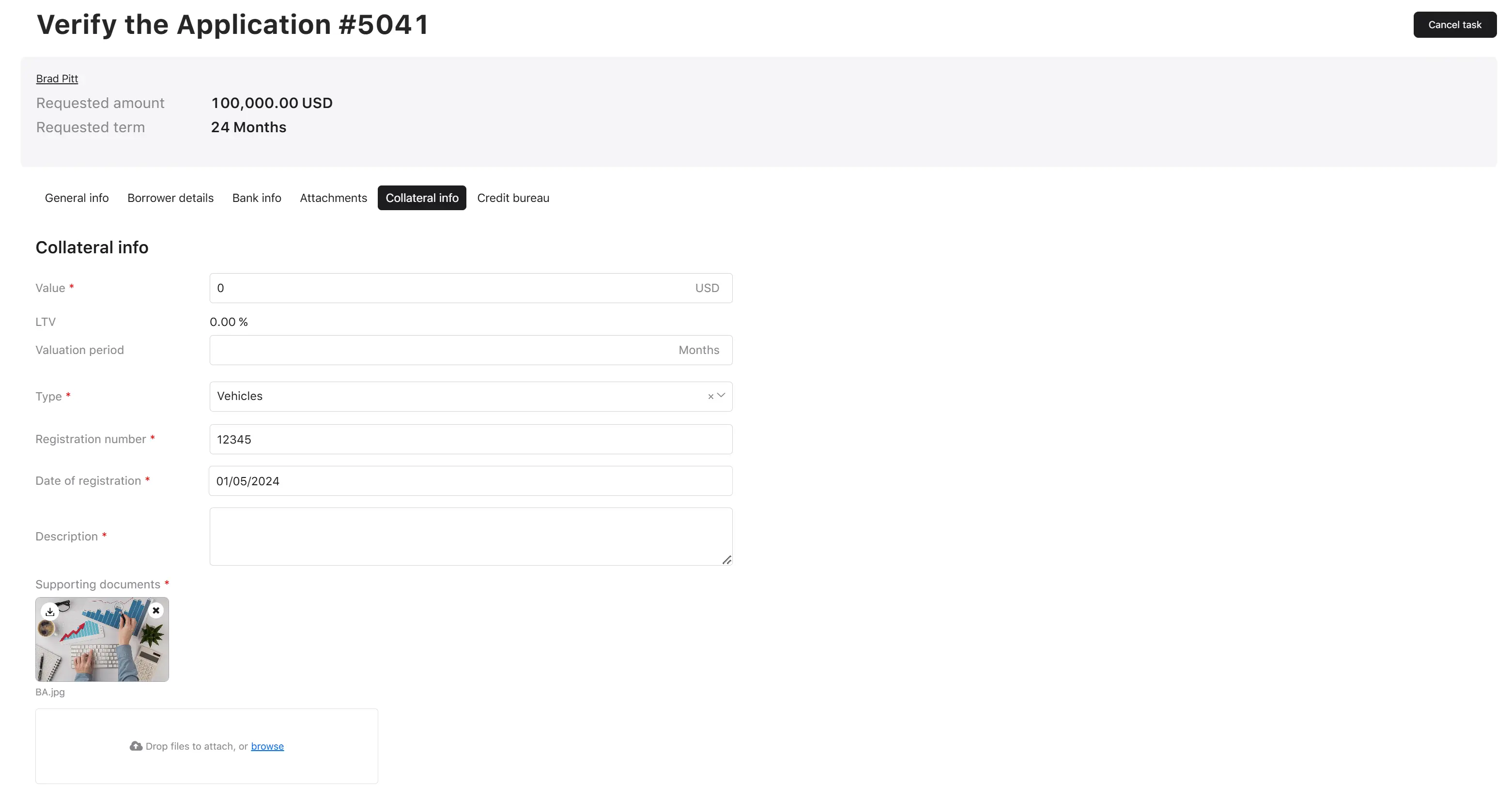
When an application reaches verification, the Verifier opens the verification screen and reviews all application data, including the collateral block (if collateral is required for the product group).
In the collateral block on the verification screen, the verifier sees the assigned-by-applicant collateral data and is required to enter (or confirm) the figures that drive secured-loan economics:
| Field | Required | Notes |
|---|---|---|
| Value | Yes | Must be greater than 0 (between 0.01 and 100,000,000). Drives the LTV calculation. |
| LTV % | Auto-calculated, read-only | Computed live as requested loan amount / collateral value × 100. |
| Valuation period | Optional | A whole number of months between scheduled re-evaluations. |
| Type | Yes | One of the five collateral types (see the Collateral list, filters, and details page). |
| Registration number | Yes | Up to 255 characters. |
| Registration date | Yes | Calendar date. |
| Description | Yes | Up to 3,000 characters. |
| Supporting documents | Yes | At least 1, at most 5 files; each file up to 20 MB. |
| Product-specific fields | As configured | Whatever extra fields the product group defines (address, VIN, etc.). |
When the verifier approves the application, the system:
- Saves the collateral value and valuation period entered by the verifier.
- Sets the latest valuation date to today’s date (the system date — the verifier cannot back-date or future-date this).
- If a valuation period is set, computes the next valuation date as latest valuation date + valuation period (months). This is the date the system will use later for automatic re-evaluation.
- Calculates the application-level LTV from the saved value and the approved loan amount.
Note
Validation rule: if collateral fields are required for the product group and any are missing or invalid, the verifier sees a red
warning block titled “Collateral fields required” and cannot complete the verification step until those fields are filled in.