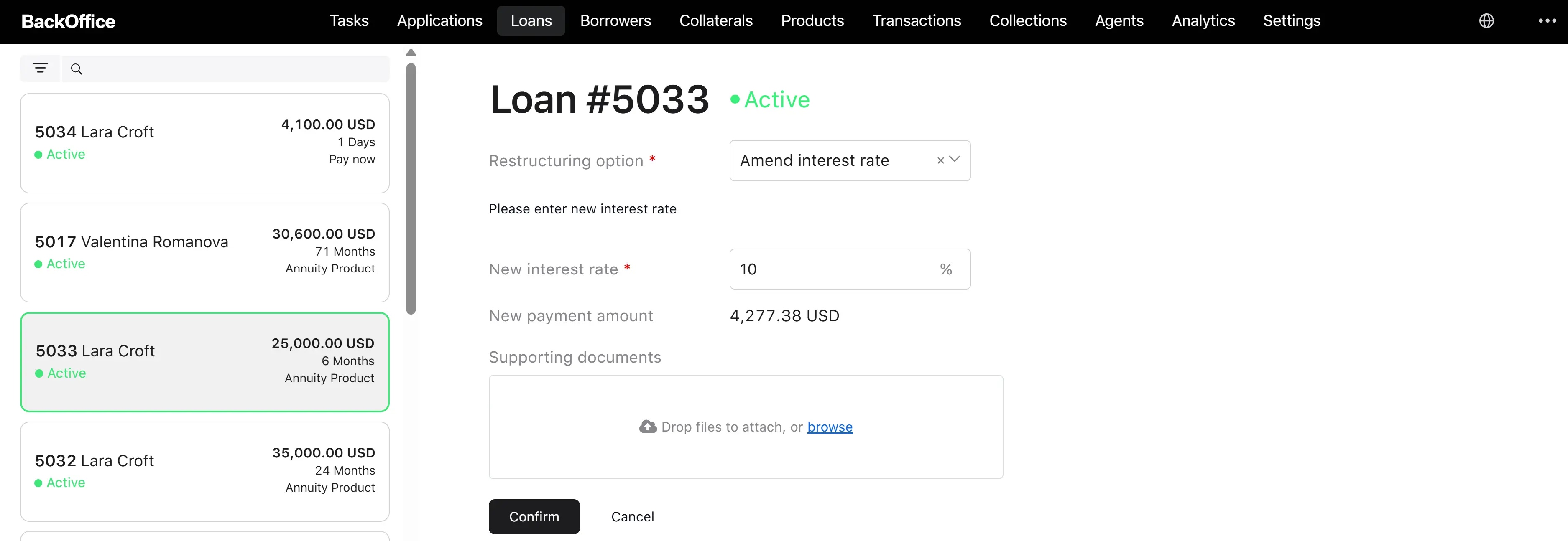
Adjust loan operation
Adjusting a loan is the formal operation for restructuring an active loan/credit line: extending the maturity date, changing the interest rate, or applying a payment holiday. Unlike a write-off and waiver, an adjustment changes the future of the loan/credit line and therefore requires a new amendment agreement signed by the borrower.
Adjust loan — fixed-term loan vs credit line
The Adjust Loan operation is shared by both loan types, but what can actually be adjusted, what gets recalculated, and what conditions allow the change differ significantly. A credit officer who selects a credit line on the loan card will see a much shorter list of restructuring options than the same officer working on a fixed-term loan.
Available restructuring options by loan type:
| Restructuring option | Fixed-term loan | Credit line |
|---|---|---|
| Extend maturity date | Available | Not available — hidden from the dropdown |
| Amend interest rate | Available | Available |
| Apply payment holiday | Available (except for payday-loan products) | Not available — hidden from the dropdown |
For credit lines, the Amend interest rate is the only restructuring option ever offered, in both the back-office “Initiate loan adjustment” flow and the borrower-portal “Request loan adjustments” flow. The other two options are filtered out by the system before the dropdown is rendered.
State conditions that allow each option:
| Option | Allowed loan / line statuses | Other conditions |
|---|---|---|
| Extend maturity date | Active, Overdue | The current period is not the last period of the schedule |
| Amend interest rate | Active, Overdue, Processing | (none) |
| Apply payment holiday | Active, Overdue, Processing | Not a payday-loan product; current period is not the last; the current period is a payment period (no holiday already running) |
What is being changed when the operation is applied:
| Aspect | Fixed-term loan | Credit line |
|---|---|---|
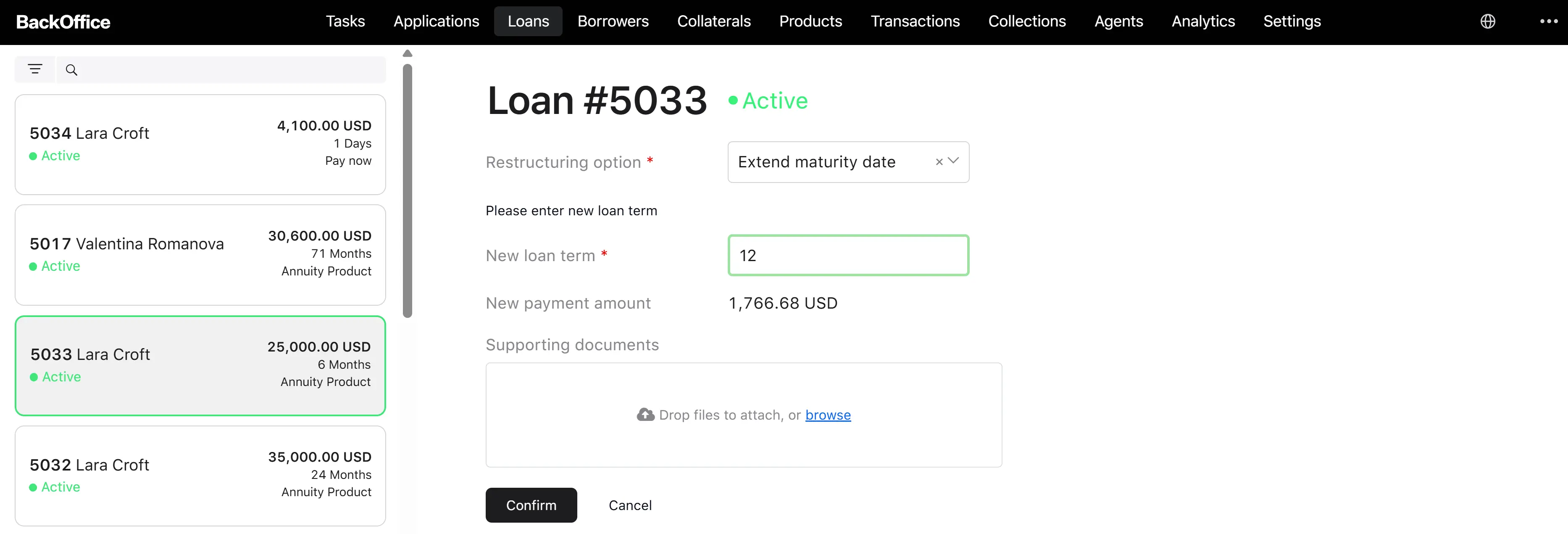
| Term / maturity | Can be extended via Extend maturity date — the operator enters a new term length (in periods) greater than the current one | Not adjustable through this operation |
| Interest rate | The operator enters a new interest rate (or new margin rate, if the rate is floating). The form re-prices the next installment in real time so the operator can preview the new payment amount | The operator enters a new interest rate (or new margin) only. There is no “new payment amount” preview because credit lines do not have an installment schedule |
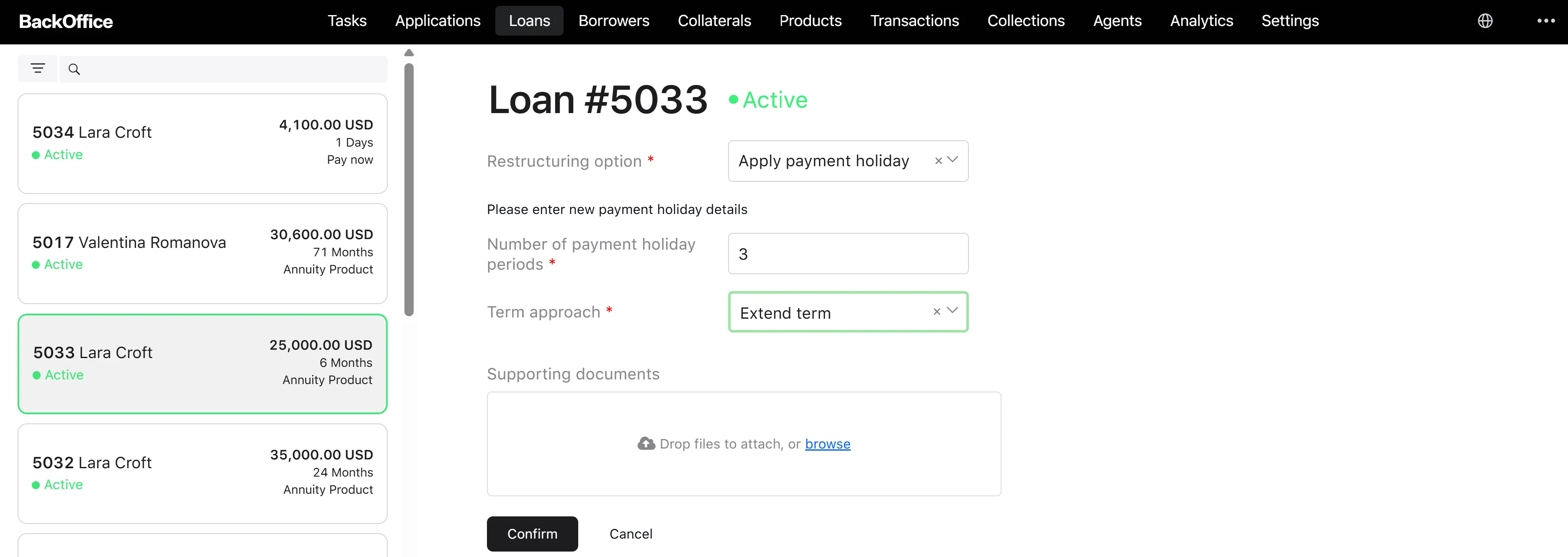
| Payment holiday | The operator enters Number of payment holiday periods (1–99) and a Term approach (currently only “Extend term”) | Not adjustable through this operation |
Practical summary. For a fixed-term loan, “Adjust loan” is a true restructuring tool — it can move the maturity date, change the rate, or grant a payment holiday, and each of these triggers a fresh amortization schedule. For a credit line, “Adjust loan” is effectively a rate change tool — only the interest margin can be modified, and the change takes effect at the daily interest accrual level, not via a schedule rebuild.
Two paths into the operation
There are two ways an adjustment is initiated:
- Borrower-initiated — the borrower submits a request from the borrower portal (“Request loan adjustments”). It enters “For Review” and waits for a credit officer to review it.
- Backoffice-initiated — the credit officer starts the operation directly from the loan card (“Initiate loan adjustment”). The request is already in Approved status (the credit officer is an authorized decision maker), skipping the review step.
Both paths converge at the signing step: the borrower must sign the amendment agreement before the changes take effect.
Backoffice-initiated flow
Step 1. Open the Initiate Loan Adjustment form
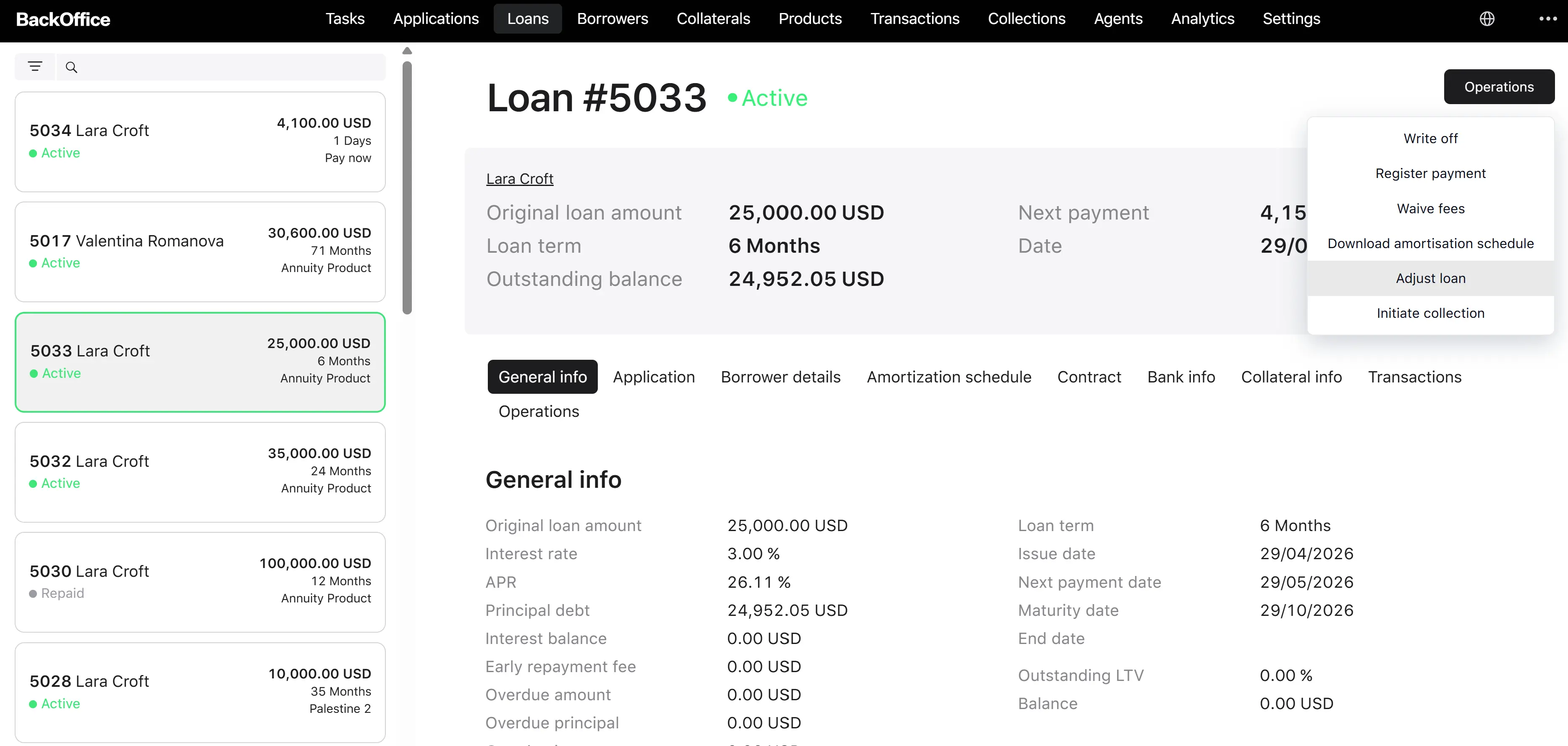
On the loan/credit line card, the credit officer clicks “Adjust loan”. The system opens the “Initiate loan adjustment” form.
Step 2. Fill the form
| Field | Type | Required | Notes |
|---|---|---|---|
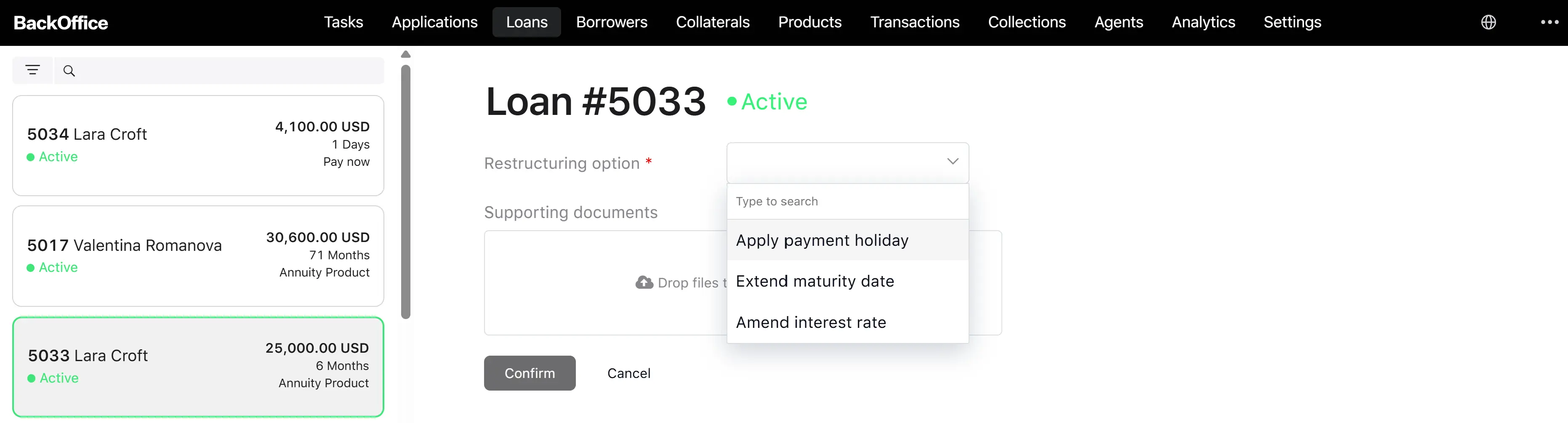
| Restructuring option | Dropdown | Yes | One of: Extend maturity date, Amend interest rate, Apply payment holiday — only options marked Available for this loan/credit line |
| Adjustment parameters | Group of fields | Yes | The set of parameters depends on the chosen option (see below) |
| Supporting documents | File upload | No | Multiple files |
Parameters by restructuring option:
| Option | Parameters |
|---|---|
| Extend maturity date | New term length (number of periods) |
| Amend interest rate | New interest rate; for variable rates — new prime rate component; interest rate type (Fixed or Variable) |
| Apply payment holiday | Number of holiday periods |
Step 3. Confirm
The system performs gating checks:
- The loan/credit line is still active.
- No other active loan adjustment request exists for this loan/credit line (only one at a time).
- The chosen option is still available for the loan/credit line’s current state.
If any check fails, the operation is canceled with an explanatory error, and nothing is changed.
Step 4. The adjustment request is created in the Approved status
The system records who created it and stores the parameters and attachments.
Step 5. The amendment agreement is generated and sent to the borrower for signing
A document is prepared in accordance with the new schedule. The borrower receives a notification with a sign-the-agreement task. The borrower has a limited time window (set by configuration; commonly 72 hours) to sign.
Step 6. Borrower signs the agreement
The borrower opens the task in the borrower portal, reviews the amendment agreement, and signs it. The system:
- Re-checks restructuring availability (state may have changed during the signing wait).
- Calculates the new amortization schedule using the strategy of the loan’s calculation type (annuity, linear, or payday).
- Saves the signed document on the request.
- Creates a Loan Adjustments event with the option, parameters, and attachments.
- Marks the request as Applied.
- Sends an “adjustment applied” notification to the borrower.
Step 7. Result
| Result | Fixed-term loan | Credit line |
|---|---|---|
| Amortization schedule recalculation | Yes — the schedule for all remaining periods is rebuilt using the calculation strategy of the loan (annuity, linear, or payday). Past periods stay frozen | Skipped — credit lines have no amortisation schedule; the system records the change and moves on |
| Next installment / payment amount | New value, derived from the recalculated schedule | Not applicable. The next payment amount is whatever the next billing cycle settles to — interest is now accrued at the new rate from the application date forward |
| New rate kicks in | From the effective date of the adjustment for the remaining schedule | From the application date forward, it affects daily interest accrual on the outstanding drawn balance and, therefore, the closing amount of the next billing cycle |
| Maturity / drawdown freeze date | Maturity date moves later when Extend maturity date is applied; payment holiday extends the term per the chosen “Extend term” approach | Unchanged — drawdown freeze date and maturity follow the original credit line setup |
| Loan event recorded | Loan Adjustments event with restructuring option set to “Extend maturity date,” “Amend interest rate,” or “Apply payment holiday” and the corresponding parameters | Loan Adjustments event with restructuring option = “Amend interest rate” only |
| Amendment agreement filed | Yes — based on the new schedule | Yes — based on the new rate, no schedule attached |