
Write-off operation
Write-off declares a loan permanently uncollectible. It is irreversible. The platform has separate sub-processes for fixed-term loans and credit lines, but the user experience is similar across both.
Who can do it
Credit Officer (and Collection Manager during a collection workflow). The user must already be on the loan’s detail page.
Steps
Step 1. Open the Write-off form
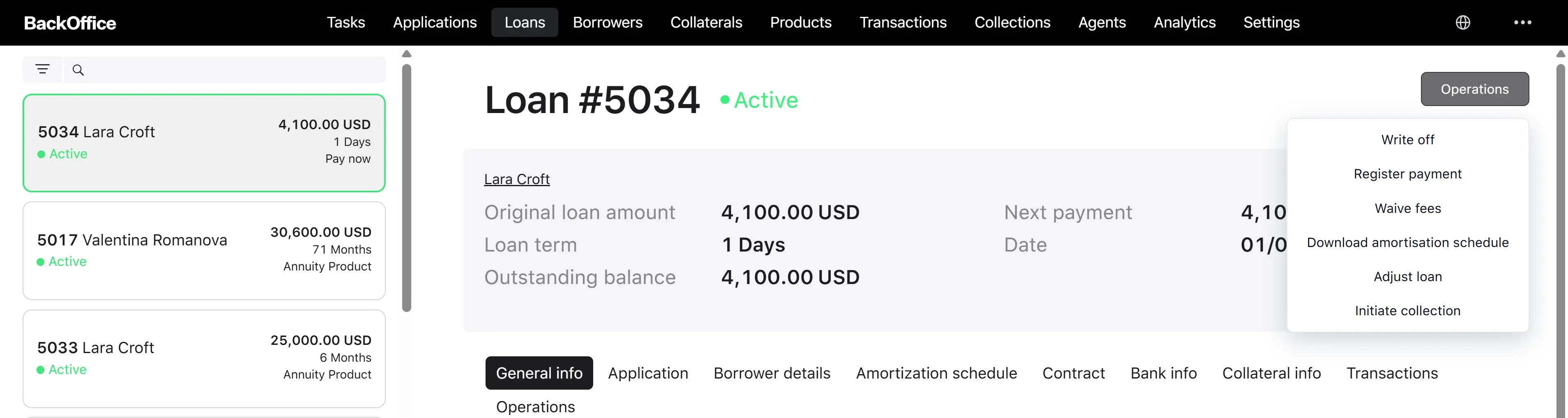
The user clicks “Write off” on the loan card. The system opens the form titled “Write off the fixed-term loan” or “Write off the credit line,” depending on the loan type.
Step 2. Fill the form
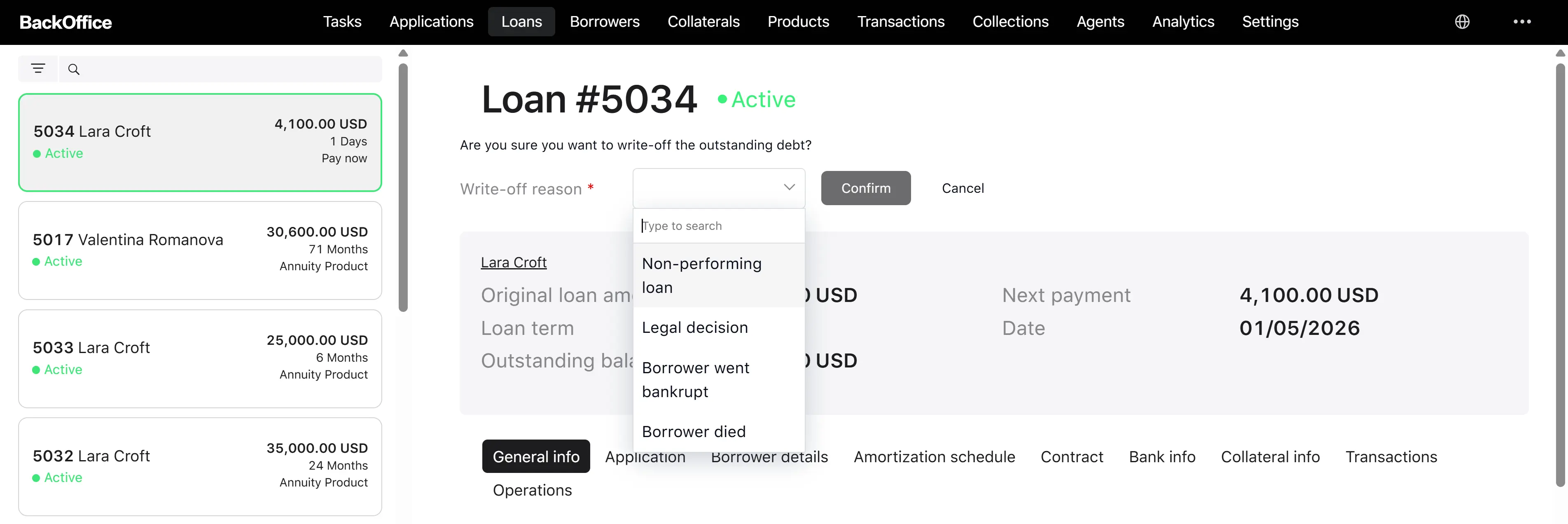
The form requires one field:
| Field | Type |
|---|---|
| Reason | Dropdown |
The form also shows the loan title and current loan status (read-only), so the user can confirm they are on the correct loan.
Reasons for an individual borrower (Person):
- Non-performing loan
- Legal decision
- Borrower went bankrupt
- Borrower died
Reasons for a legal entity borrower:
- Non-performing loan
- Legal decision
- Borrower went bankrupt
Step 3. Confirm
The user clicks “Confirm”. The system reloads the loan and validates that it is still active. If not, an error “Write off is not available for closed loans” is shown, and the operation stops.
Step 4. The system processes the write-off
If the loan is active, the platform:
- Saves the selected reason on the loan.
- Creates a Write-off loan event tied to this user.
- Sends a “loan has been written off” signal into the loan flow, where the daily calculation excludes the loan from then on.
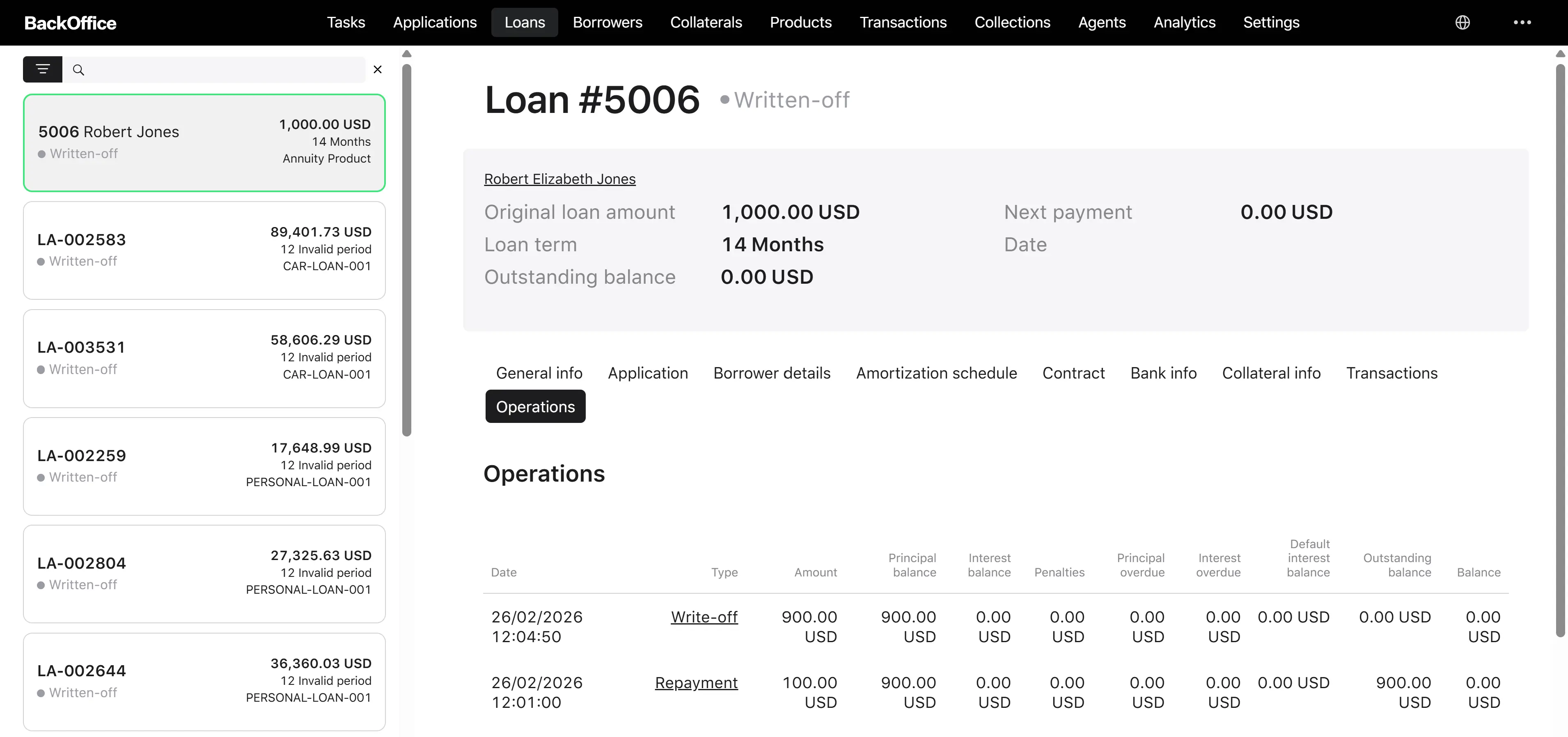
- The loan moves to Written Off (terminal).
Step 5. Result
The loan is now in Written Off status, no further interest accrues, and no scheduled payments are attempted. The reason is stored for audit.
Write-off during collection
Once the loan is routed to collection, the Collection Manager uses a different task (“Write off the loan during collection”). The reason list is the same; the difference is the workflow context (the operation happens inside the collection process rather than directly from the loan card).