Register payment operation
Register Payment lets a credit officer record a payment that arrived outside the system (e.g., the borrower paid in cash or by cheque, or transferred funds to a bank account not linked to an integrated provider). The platform has separate sub-processes for fixed-term loans and credit lines, but the user experience is similar.
Who can do it
Credit Officer.
Steps
Step 1. Open the Register Payment form
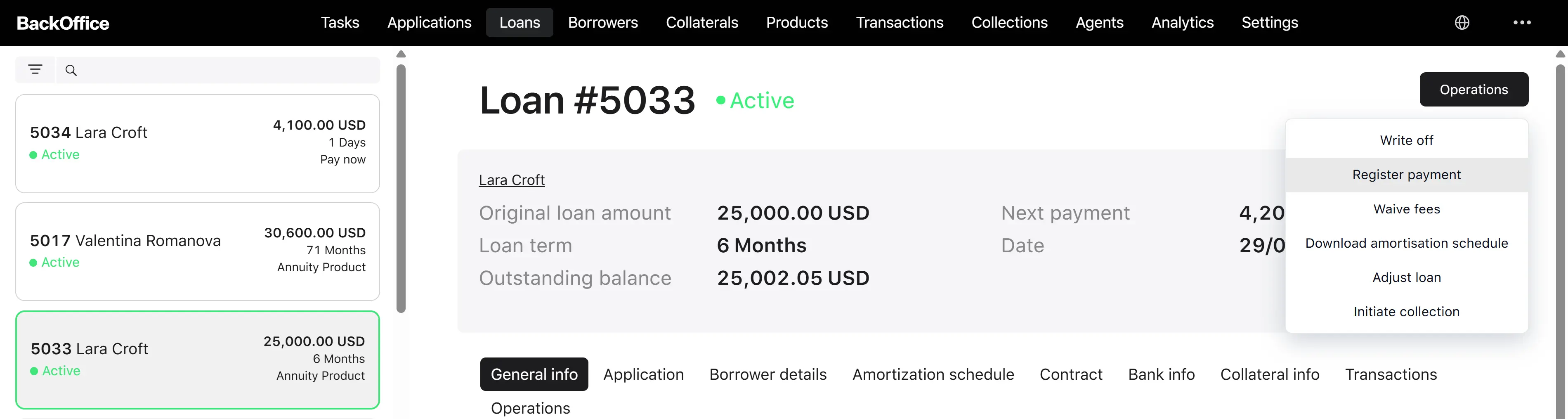
From the loan detail page, the user clicks “Register payment.” The system opens the form titled “Register payment fixed-term loan” or “Register payment credit line.”
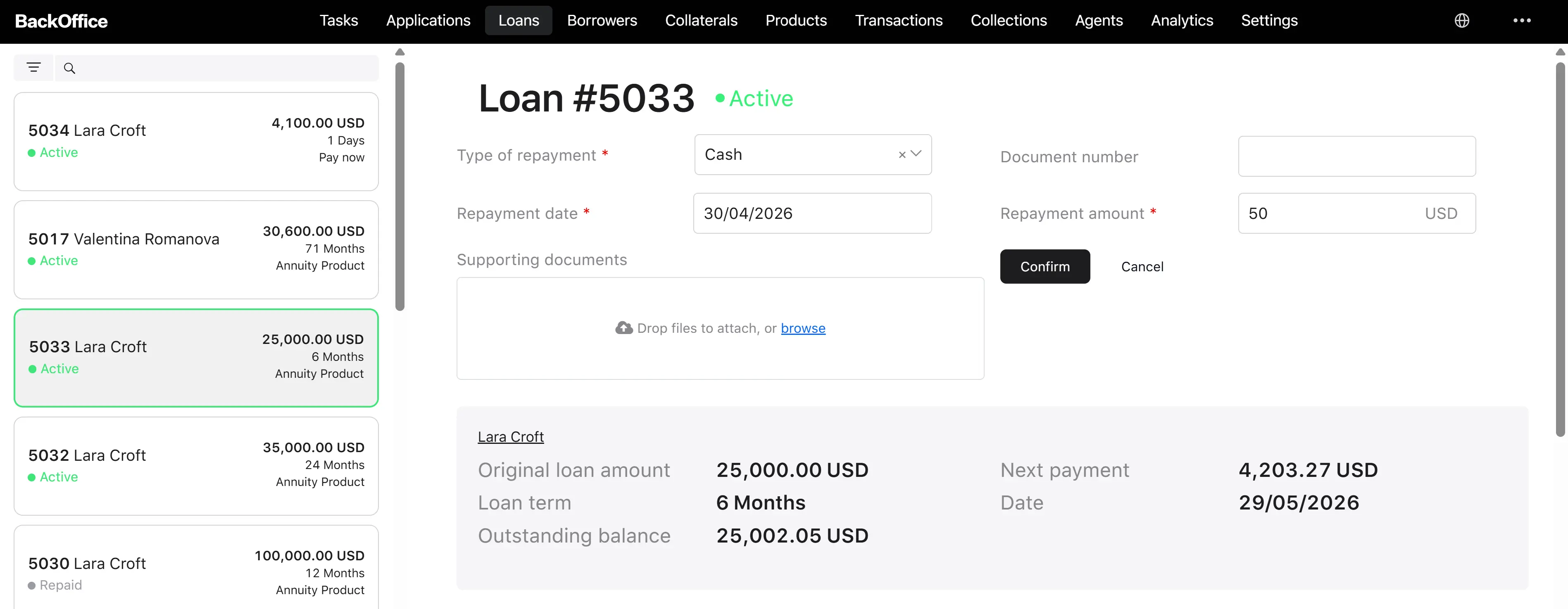
Step 2. Fill the form
| Field | Type | Required | Notes |
|---|---|---|---|
| Method | Dropdown | Yes | One of the manual payment methods (see below) |
| Document number | Text | No | Up to 255 characters; reference of the external payment document (e.g., cheque number) |
| Repayment date | Date | Yes | Cannot be earlier than the loan issue date; cannot be later than today |
| Repayment amount | Number | Yes | Min 0.01; max 9,999,999,999,999.99 in the loan’s currency |
| Supporting documents | File upload | No | Multiple files allowed, each up to 20 MB; total count limited by environment setting |
Method values:
- Cheque
- Cash
- Wire transfer
- Online transfer
- Mobile money
Step 3. Confirm
The user clicks “Confirm.” The system reloads the loan and verifies it is active. If the loan is closed/written off, an error message “Payment registration is not available for closed loans” appears, and nothing is saved.
Step 4. The system processes the payment
If the loan is active:
- A Repayment transaction is created for the entered amount and method.
- A Repayment loan event is recorded with the repayment date and the attached documents.
- The payment is allocated to the loan balances in accordance with the standard payment allocation order (see the Payment allocation page).
- A new loan snapshot is produced.
- The borrower is notified.
Step 5. Result
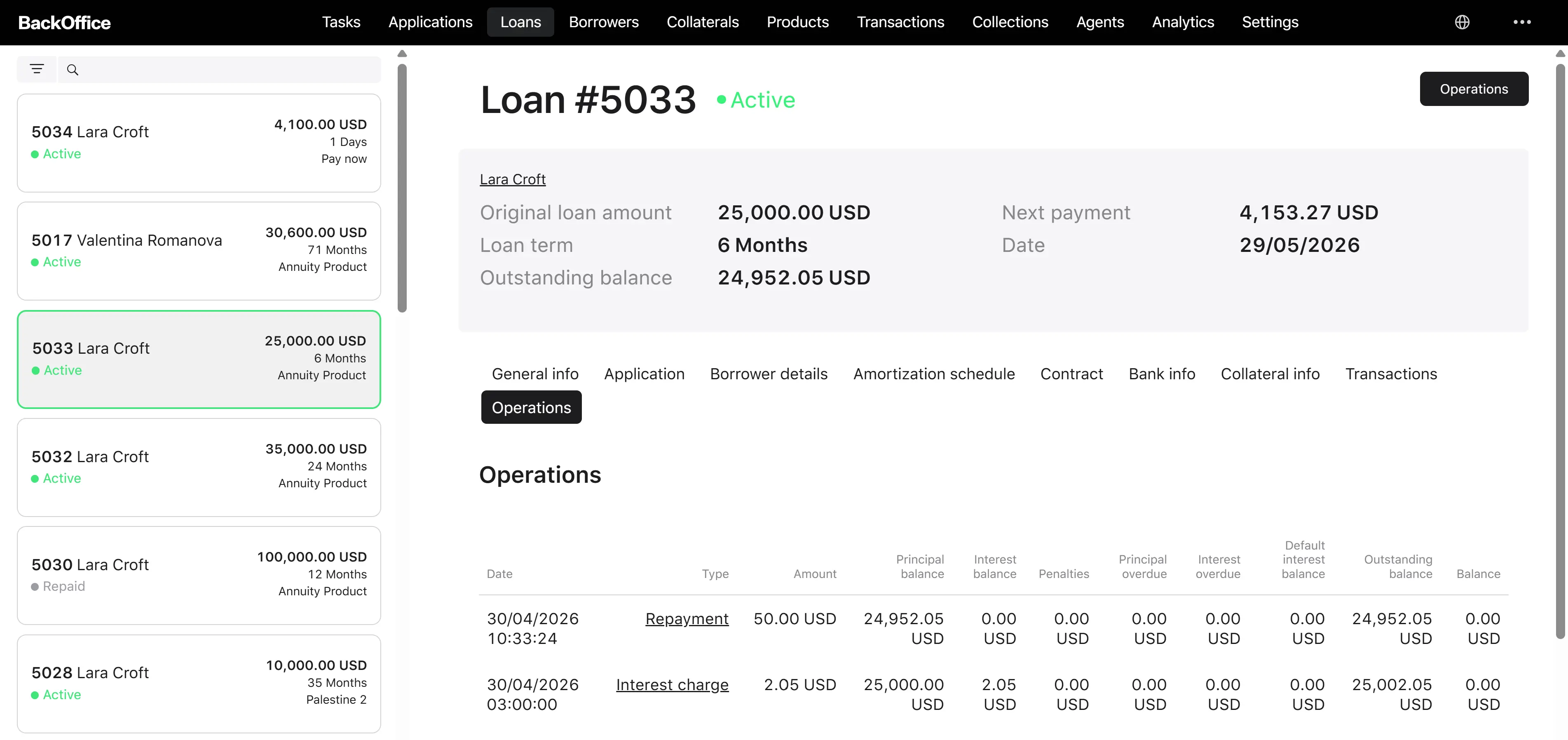
The user returns to the loan card. The new operation appears in the loan operations list, including the date, amount, type, and attachments. If the payment fully settles the obligations, the loan moves to Repaid; if it clears overdue amounts, the loan returns to Active from Overdue.