Manual collateral re-evaluation
What is manual collateral re-evaluation
A Credit Officer can re-evaluate collateral at any time on an active loan, without waiting for the scheduled next valuation date. This is used when, for example, the market has moved sharply, an external appraisal has just been received, or the borrower has requested loan terms that depend on a fresh value.
Prerequisites
- The user has the Credit Officer role.
- The loan attached to the collateral has active state. Manual re-evaluation is rejected for closed loans with the message “Reevaluate collateral is not available for closed loans”.
Step-by-step workflow
Step 1. Open the collateral
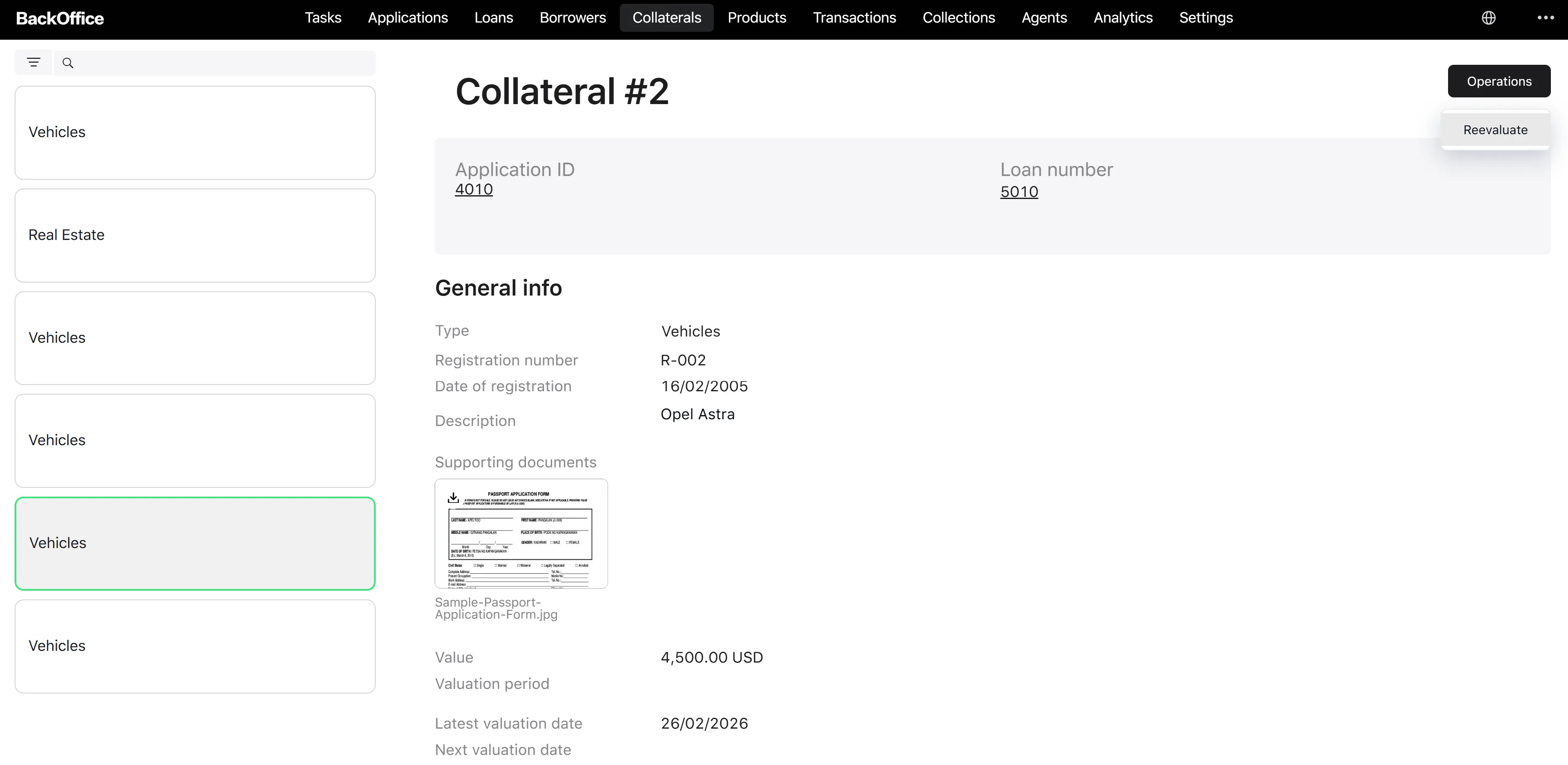
The Credit Officer opens the collateral list, finds the relevant collateral, and clicks into its detail page.
Step 2. Start the re-evaluation
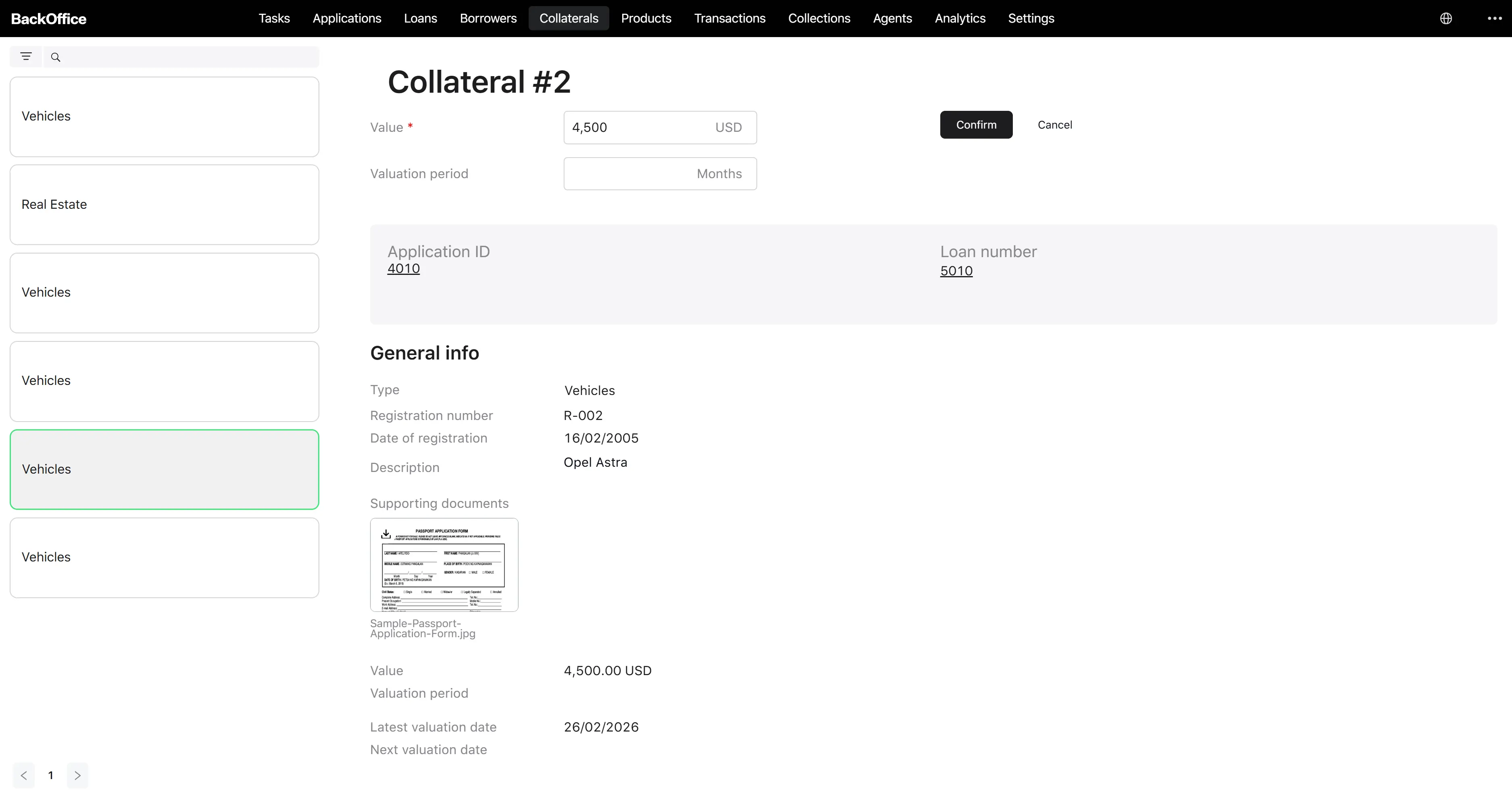
The user clicks the Operations dropdown in the page header and selects Re-evaluate. The system opens the re-evaluation form “Re-evaluate collateral #”.
Step 3. Fill in the new values
The form has two fields, both shown side by side on the left, and a read-only summary of all other collateral attributes below:
| Field | Required | Notes |
|---|---|---|
| Value | Yes | New collateral value. Must be between 0.01 and 100,000,000. |
| Valuation period | Optional | New re-evaluation interval, in months. Between 1 and 999. |
The right-hand side of the form shows two buttons:
- Confirm — disabled until the form is valid.
- Cancel — closes the form and returns to the collateral card without saving.
Step 4. Confirm
The user clicks Confirm. The system performs a server-side check that the loan is still active.
If the loan is still active, the system:
- Saves the new value and (if entered) the new valuation period.
- Sets the latest valuation date to today.
- Recomputes the next valuation date as today + valuation period (months), when a period is set.
- Records a re-evaluation event in the loan history with the new value and the user who initiated the change.
- Recalculates the loan-level LTV from the new value.
- Returns the user to the collateral detail page, showing the refreshed values.
If the loan turns out to be inactive at the moment of confirmation, the system shows the error “Reevaluate collateral is not available for closed loans” and does not save.
Step 5. Result
After a successful re-evaluation:
- The collateral now shows the new value, the new latest valuation date (today), and the recalculated next valuation date.
- A new entry appears in the loan event history reflecting the re-evaluation.
- Other staff viewing the collateral immediately see the updated figures.